What did a shared component library change?
Not just how the product looked. How repeated design decisions were made, communicated and built.
TradeNeo is a trade platform with four product areas: Workflow, Intelligence, Hub and Operations. This is the shared component and visualization system I worked on across them.
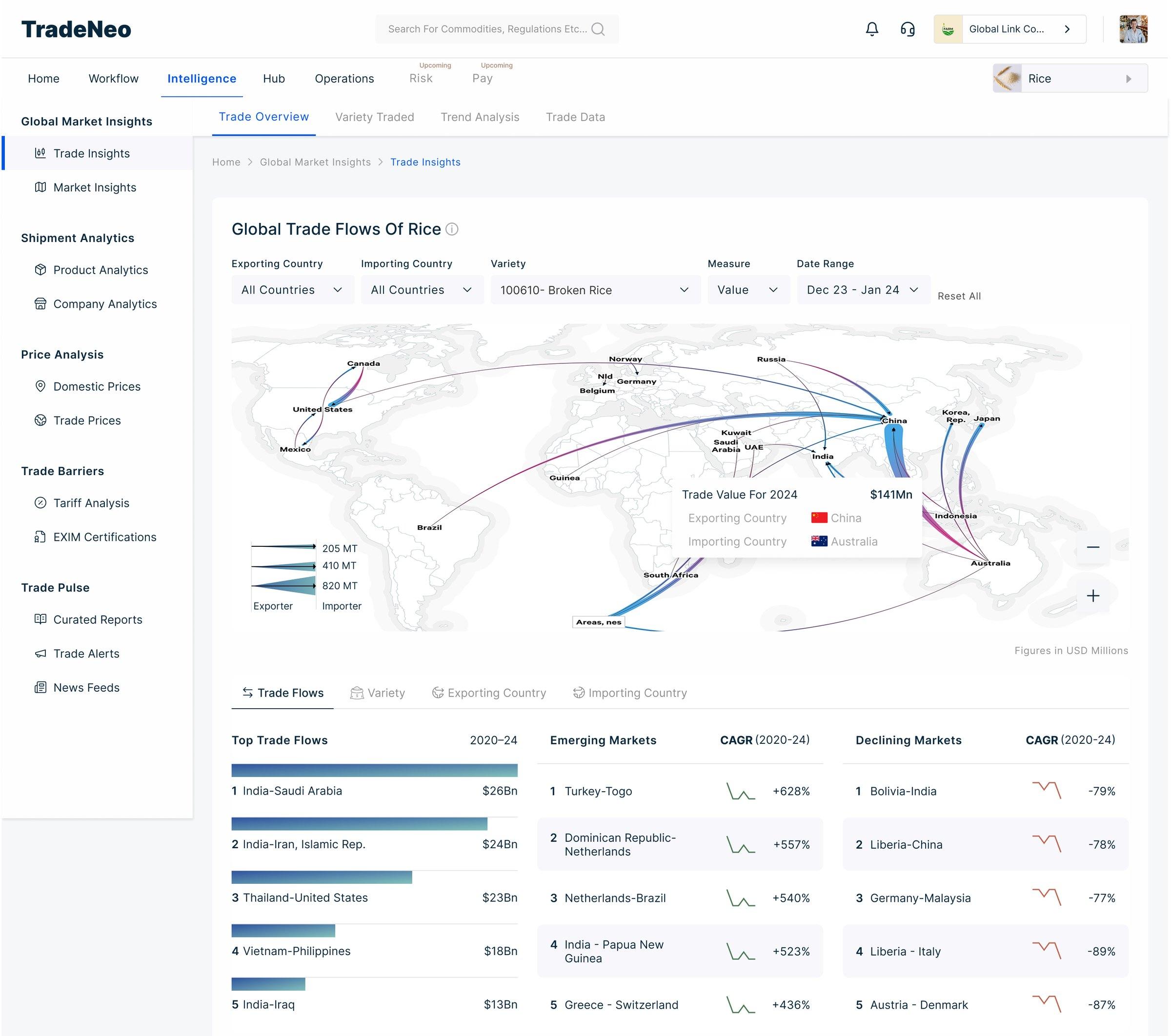
- 01One icon family across the products.
- 02H2 and the text below follow one scale on every page.
- 03H1: one title style, used on every page.
- 04Shared tooltip pattern.
- 05Every chart states its value unit, bottom right.
- 06Semantic colour rules: green for growing, red for declining.
- Role
- Senior Product Designer
- Product
- TradeNeo
- Team
- Team of 2: me and a junior designer.
- Year
- 2025
01 · The pattern
The product was growing faster than its visual language.
The issue wasn't one broken screen. We were solving similar visualization and interface problems repeatedly, just in different places.
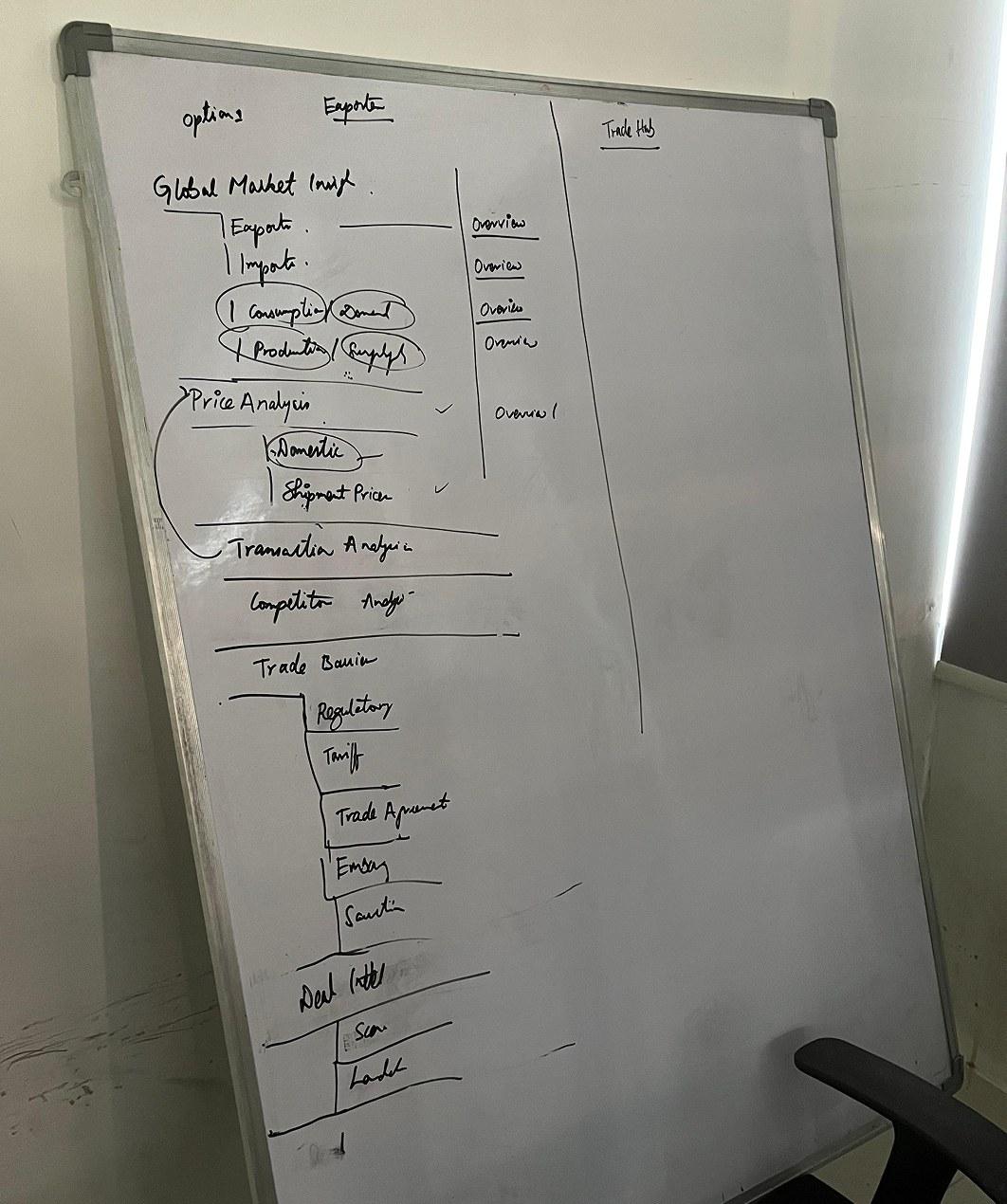
The product's modules, mapped on a whiteboard.
One product. Many modules. The same decisions coming up in each.
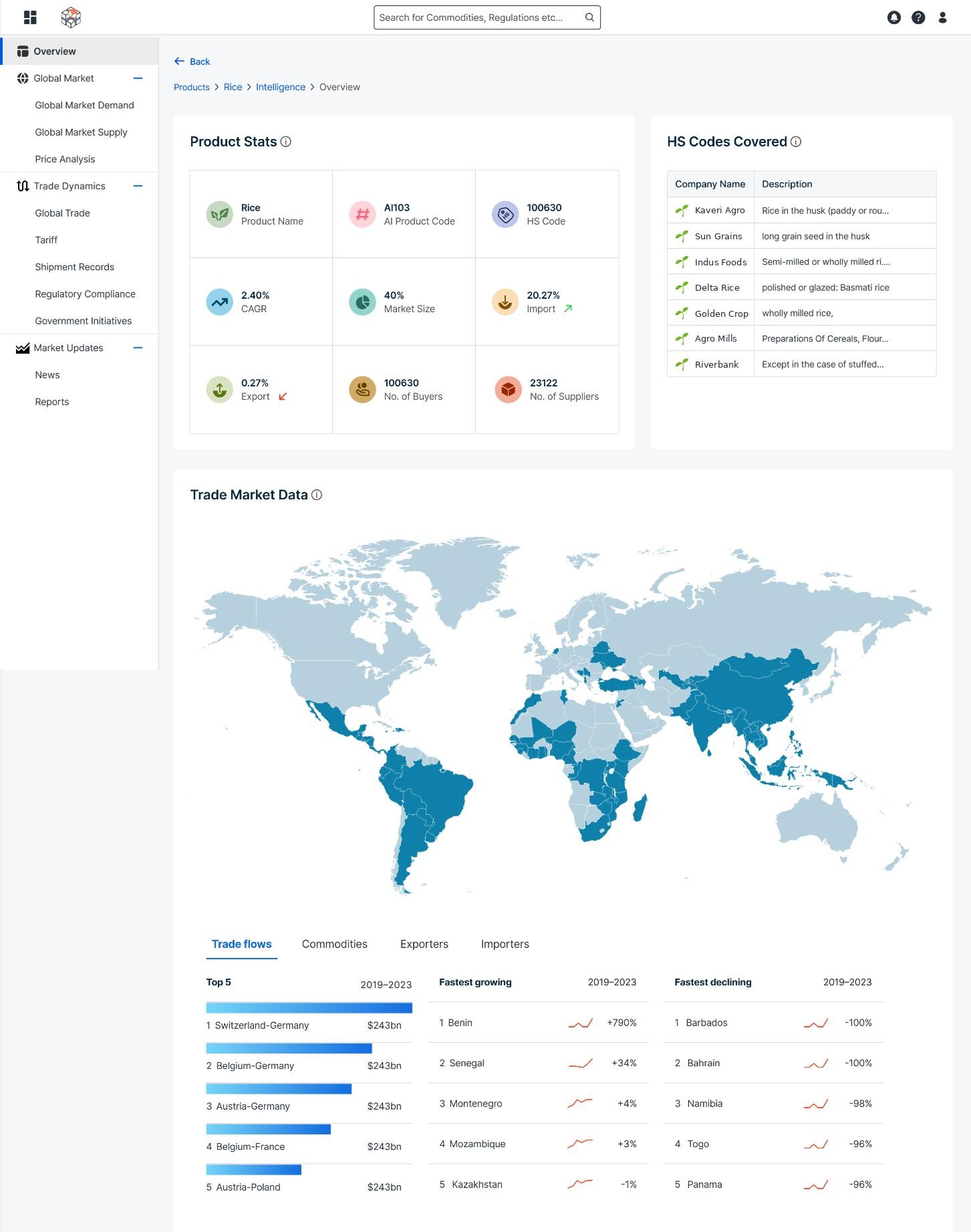
- 01Every stat icon in a different colour.
- 02One blue for the map and the bars.
- 03Rank numbers in regular weight.
- 04Tabs with no icons.
- 05Growing and declining markets, both drawn in red.
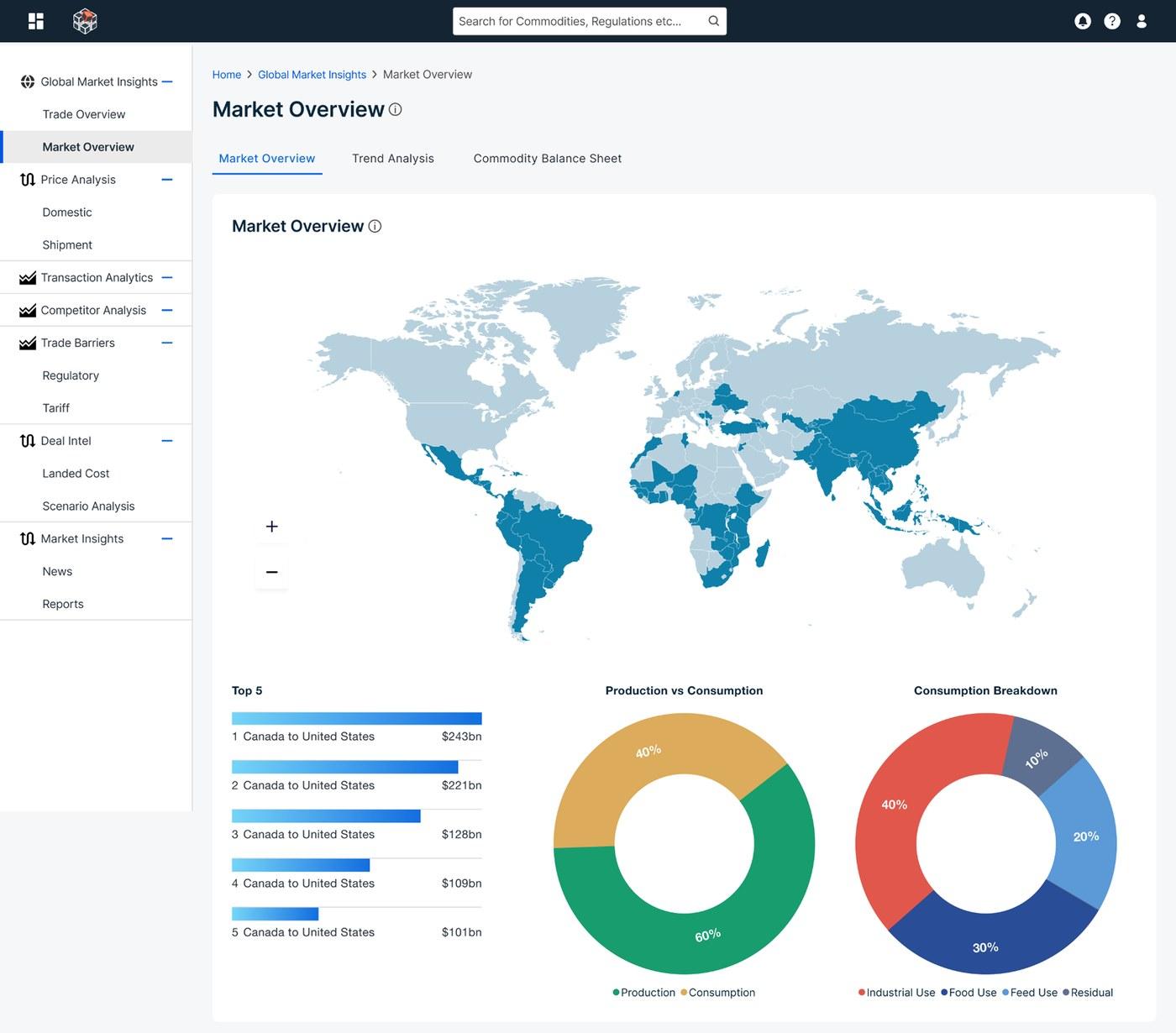
Earlier Intelligence
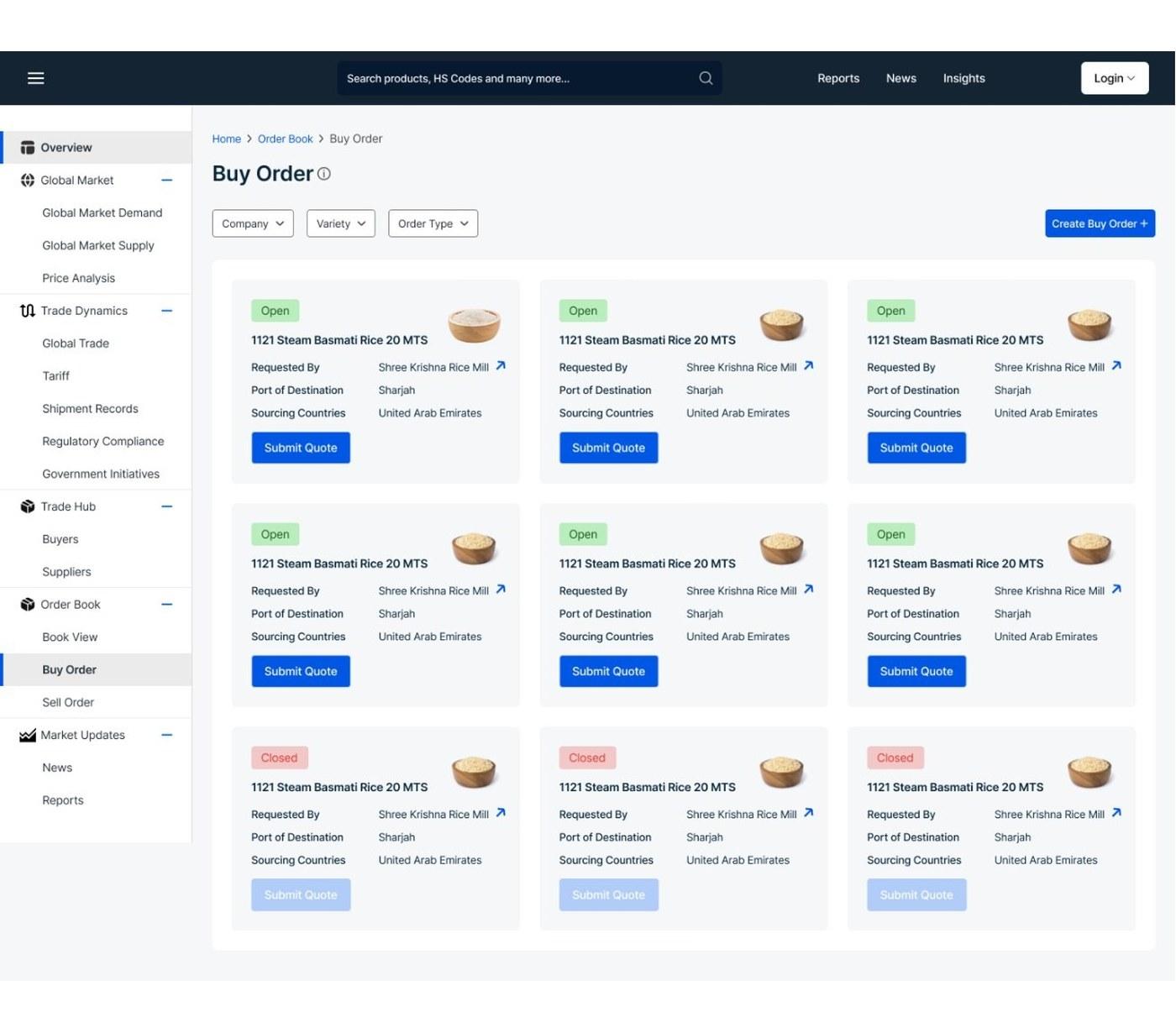
Earlier Hub
02 · The real problem
The problem wasn't the individual chart. It was the lack of shared rules.
The product didn't need every screen redesigned on its own.
It needed a common language underneath the interface and chart decisions that kept coming back.
03 · The design move
I stopped solving individual screens. I started defining the system underneath them.
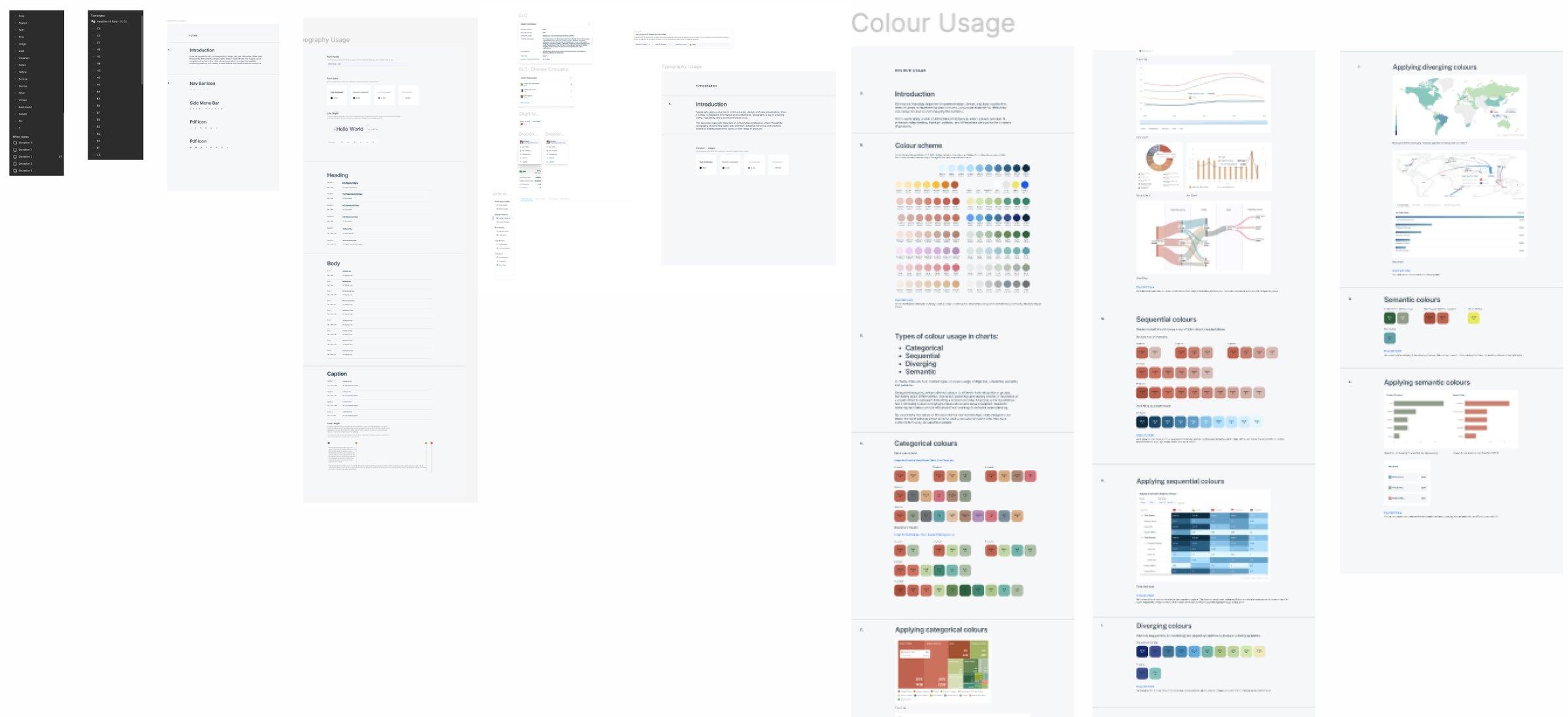
- 01Typography, from headings to captions.
- 02Colour rules, written down page by page.
- 03Each palette shown applied to a real chart.
The foundation covered colour, typography, spacing, elevation, icons, components, chart patterns and chart behaviour.
04 · Colour
Colour stopped being a preference and became a system.
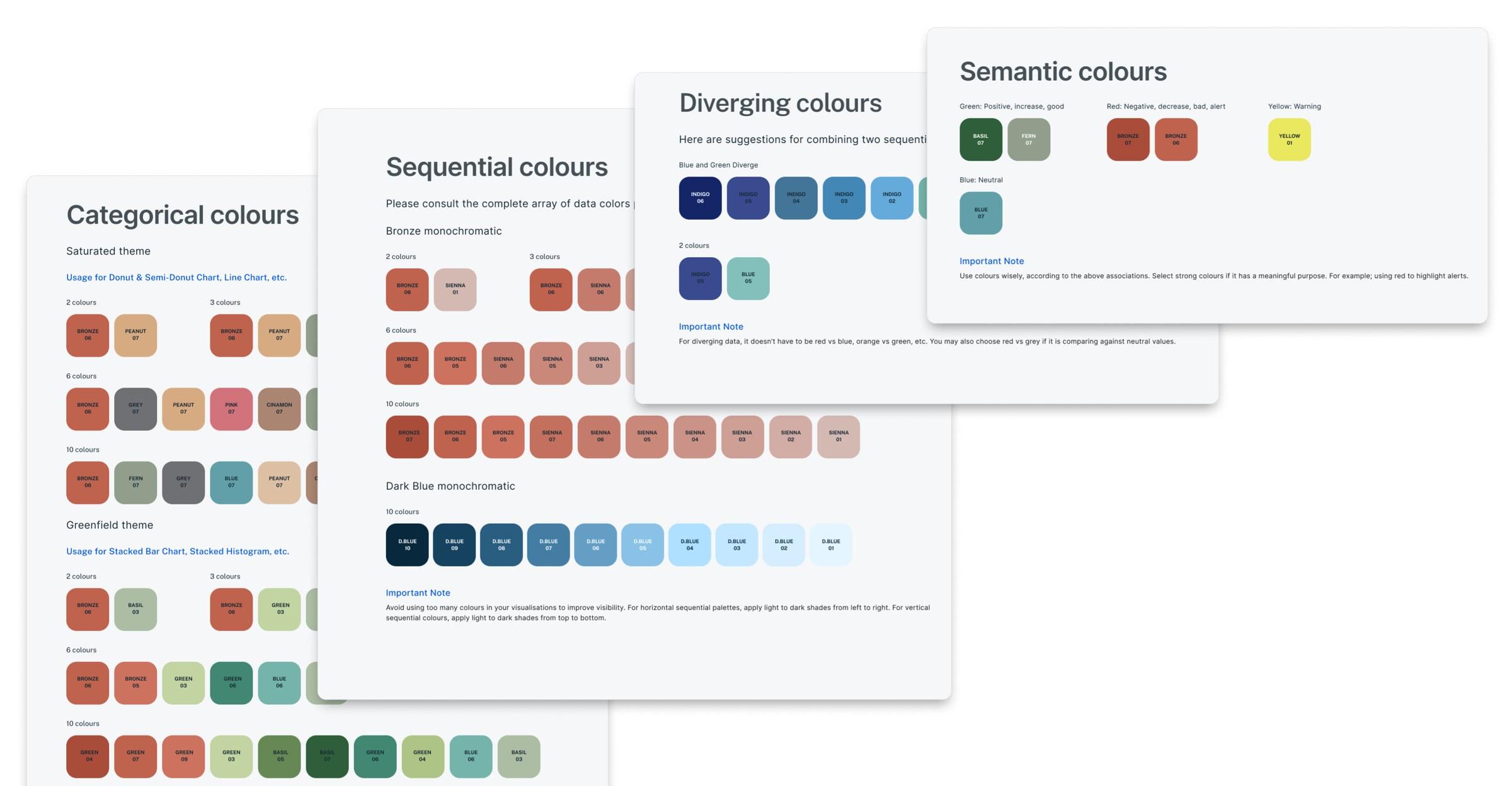
- 01One theme for donut and line charts.
- 02Another for stacked bars and histograms.
- 03Green is good, red is bad, yellow warns, blue is neutral.
- 04Two sequential scales, combined.
- 05Light to dark, right to left.
- CategoricalPalettes for multiple categories, in sets of 2, 3, 6 and 10 colours.
- SequentialLight to dark within one hue.
- DivergingTwo scales used around a comparison.
- SemanticGreen for positive, red for negative or alerts, yellow for warnings, blue for neutral.
Rule
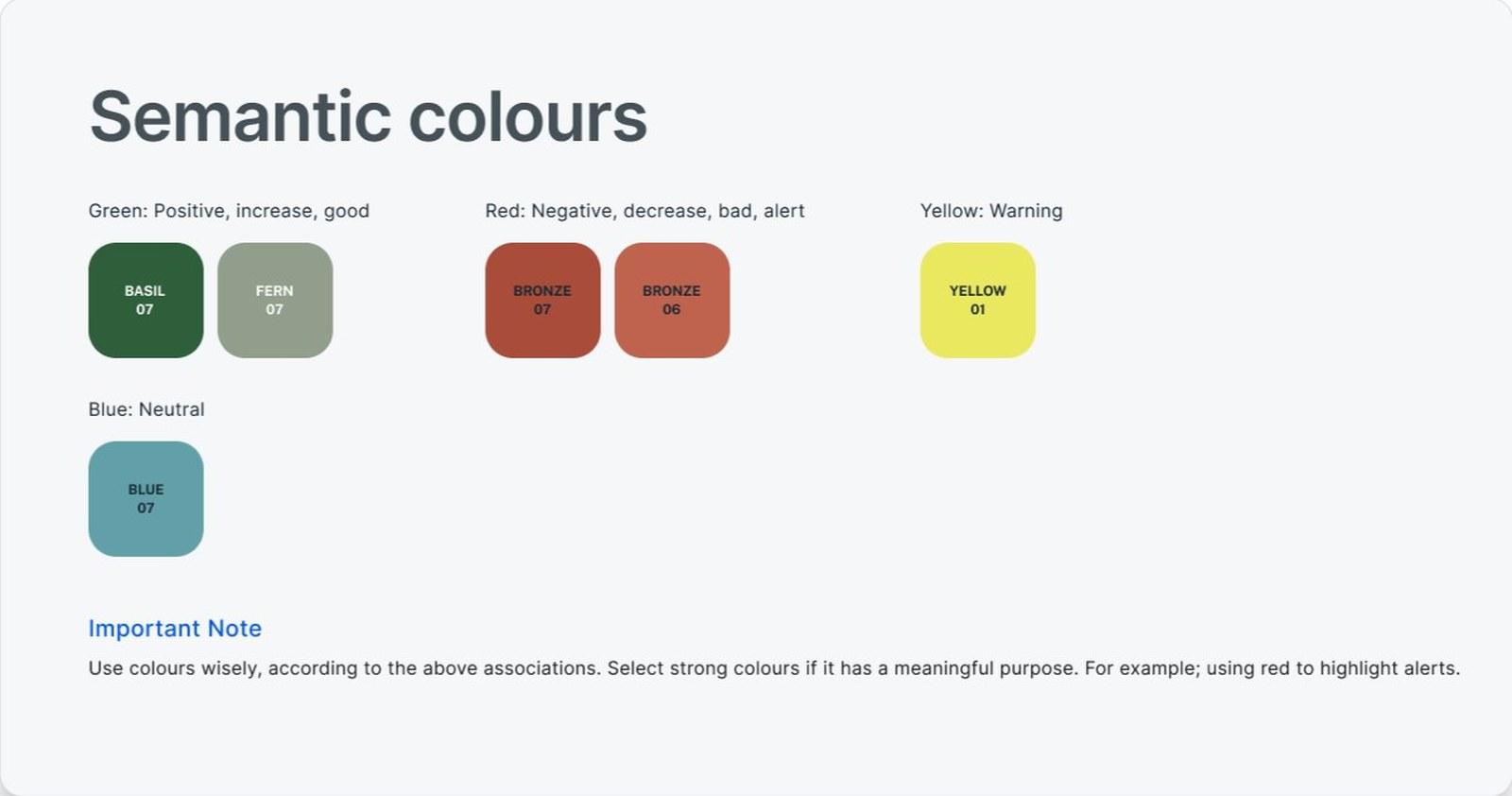
Semantic colours, as written in the system.
Real chart
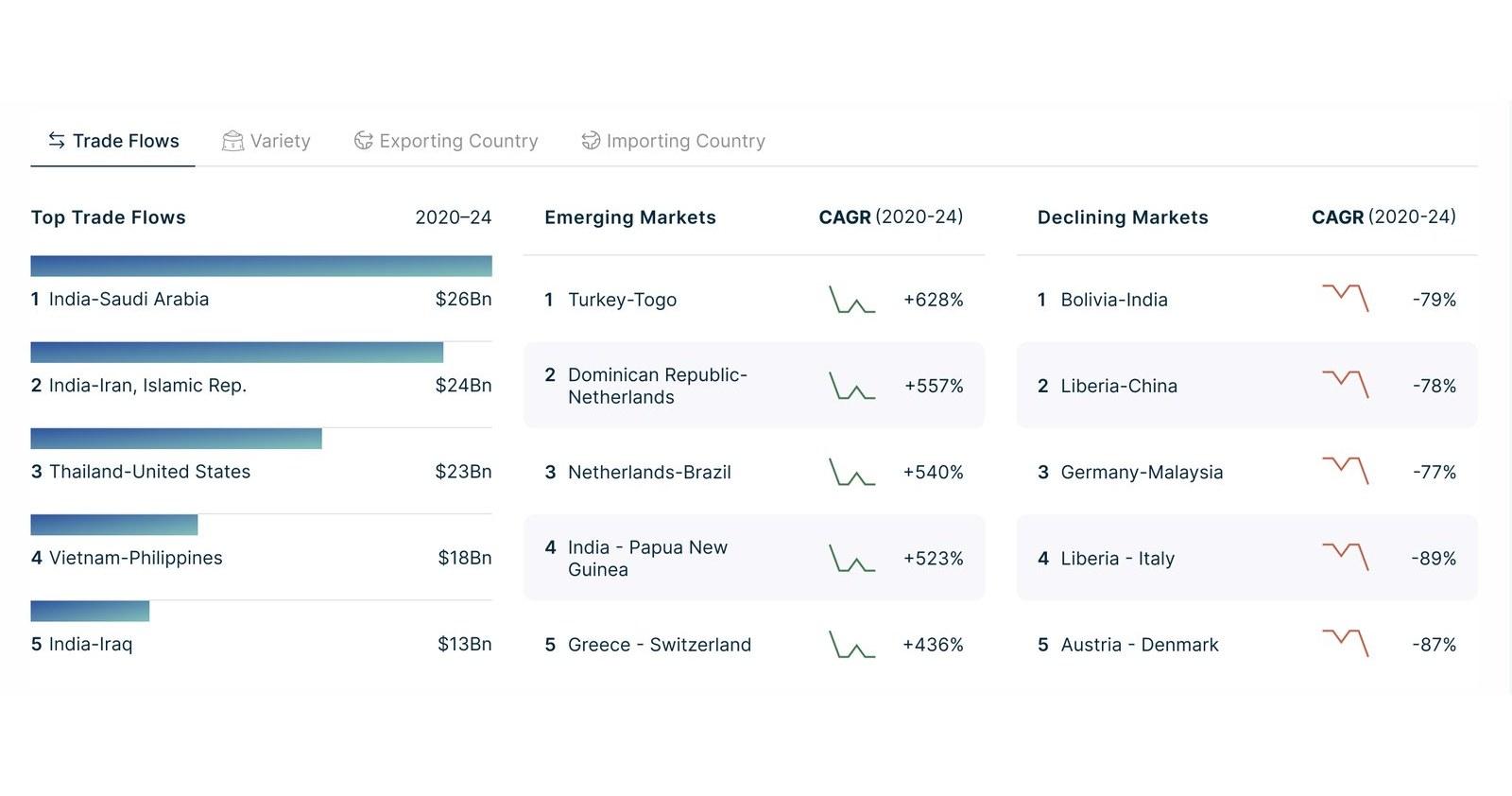
Emerging markets in green, declining in red.
05 · Behaviour
Charts could change. Their behaviour didn't have to.
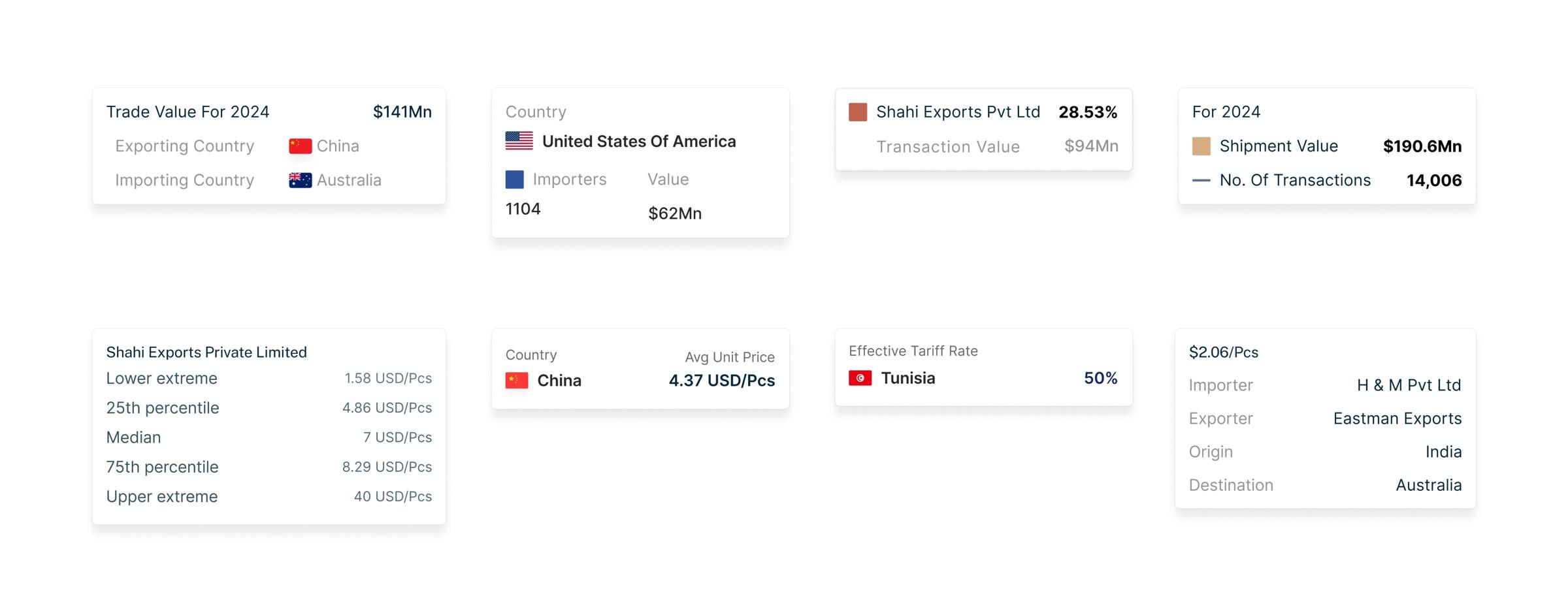
- 01Label on the left, value on the right.
- 02Units stay with the value.
- 03Series gets a visual marker.
- 04Labels stay secondary.
The system wasn't only about how components looked. It also defined recurring behaviour.
06 · Implementation
The system had to work beyond Figma.
The chart rules couldn't stop at the design file. I worked with developers on chart configuration so visualization patterns could be implemented consistently across the product.
- Design ruleHow a tooltip is laid out.
- Chart configurationWorked through with developers.
- ProductThe same tooltip on a live chart.
Design rule
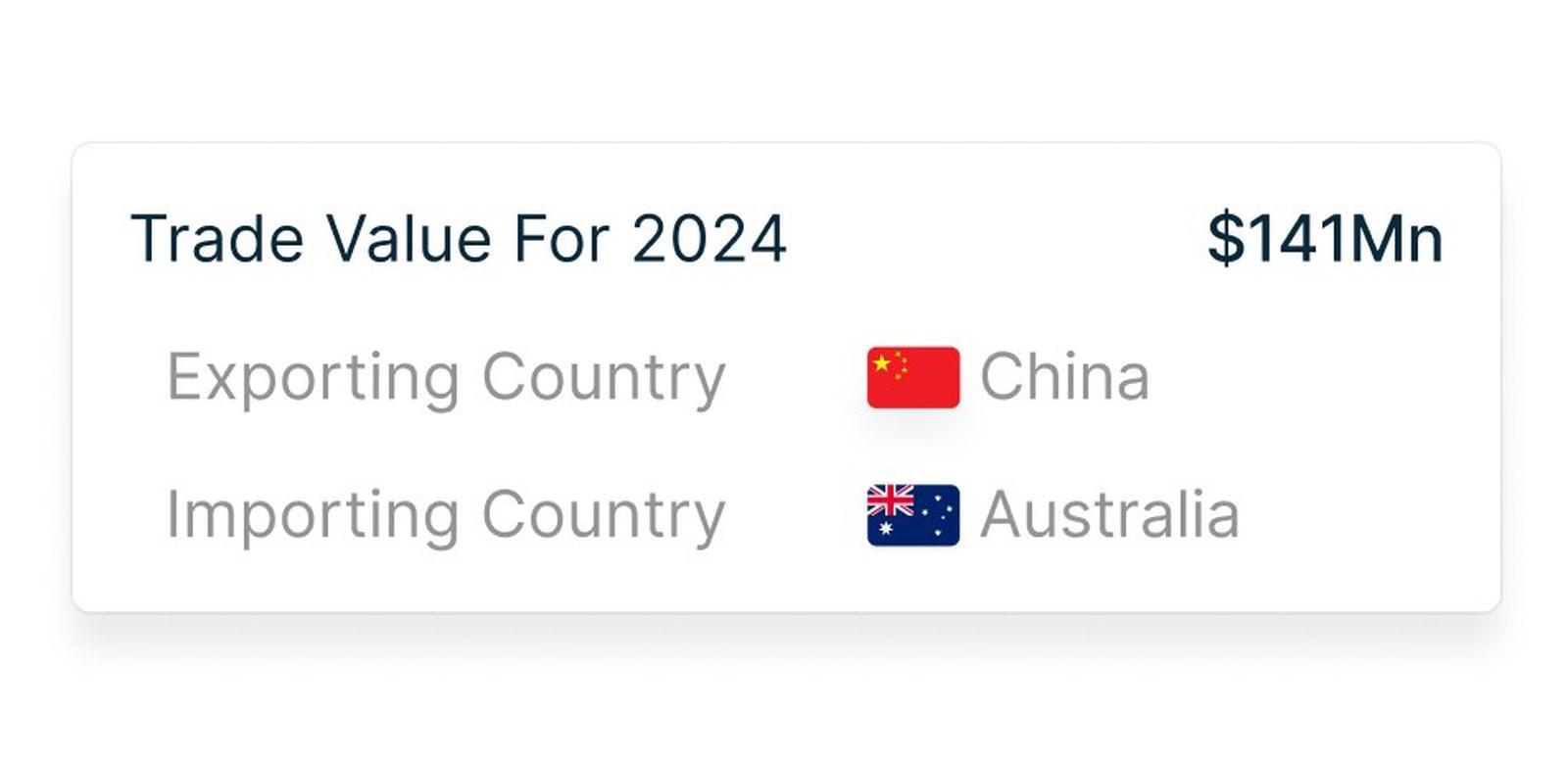
The tooltip as defined in the system.
Product
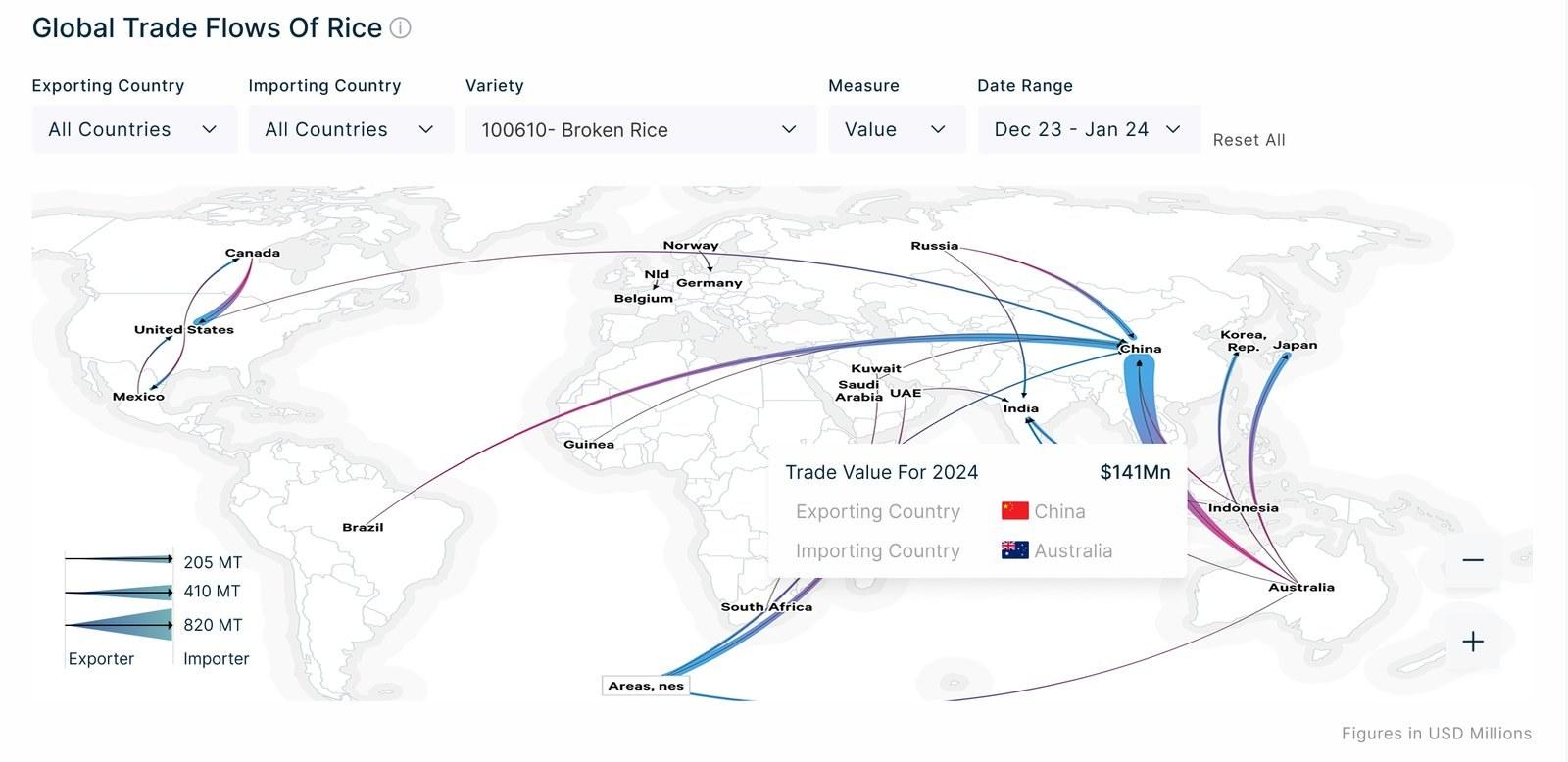
The same tooltip on the trade-flow map.
07 · From system to product
Same system. Different data.
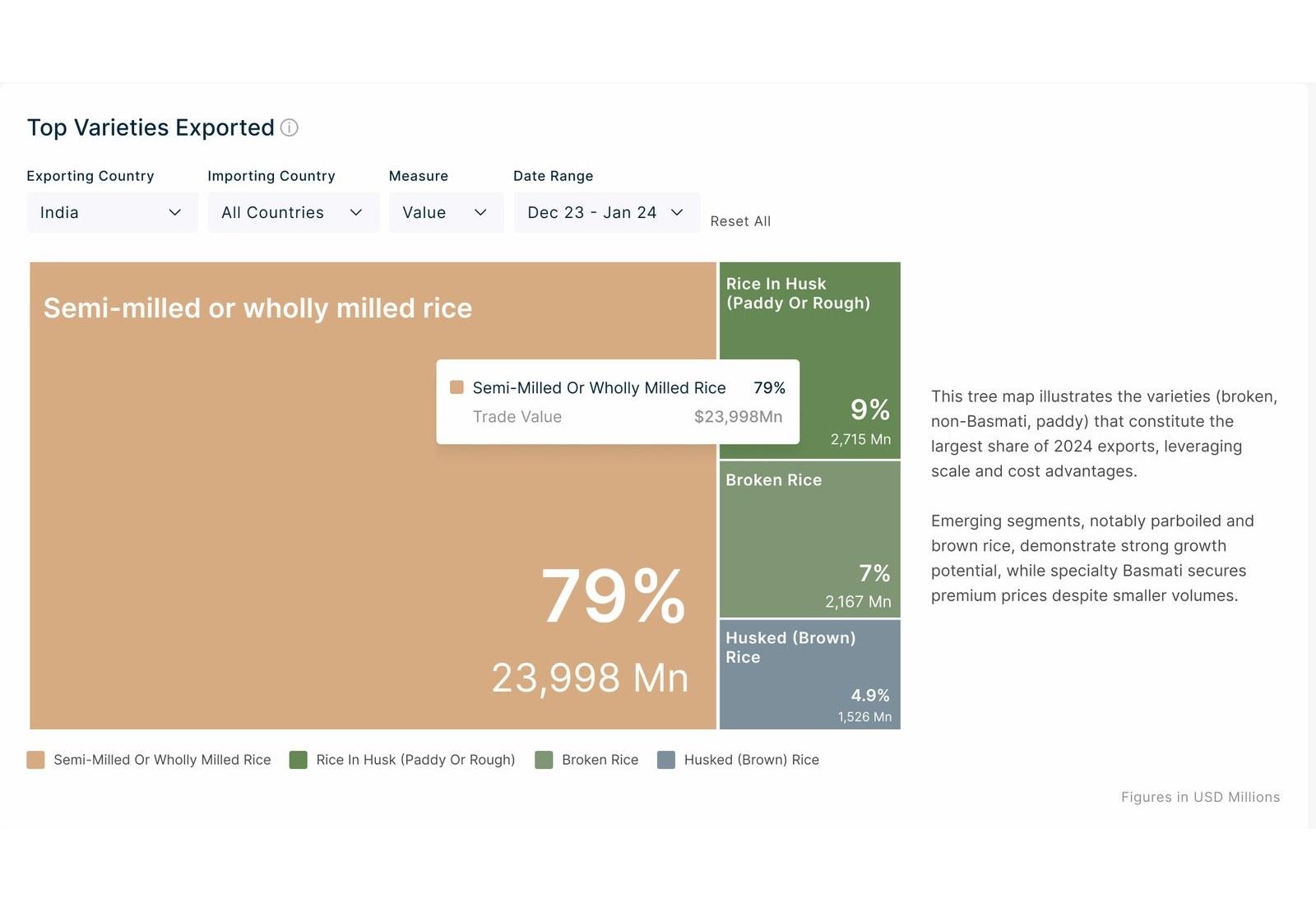
Trade Insights, varieties exported
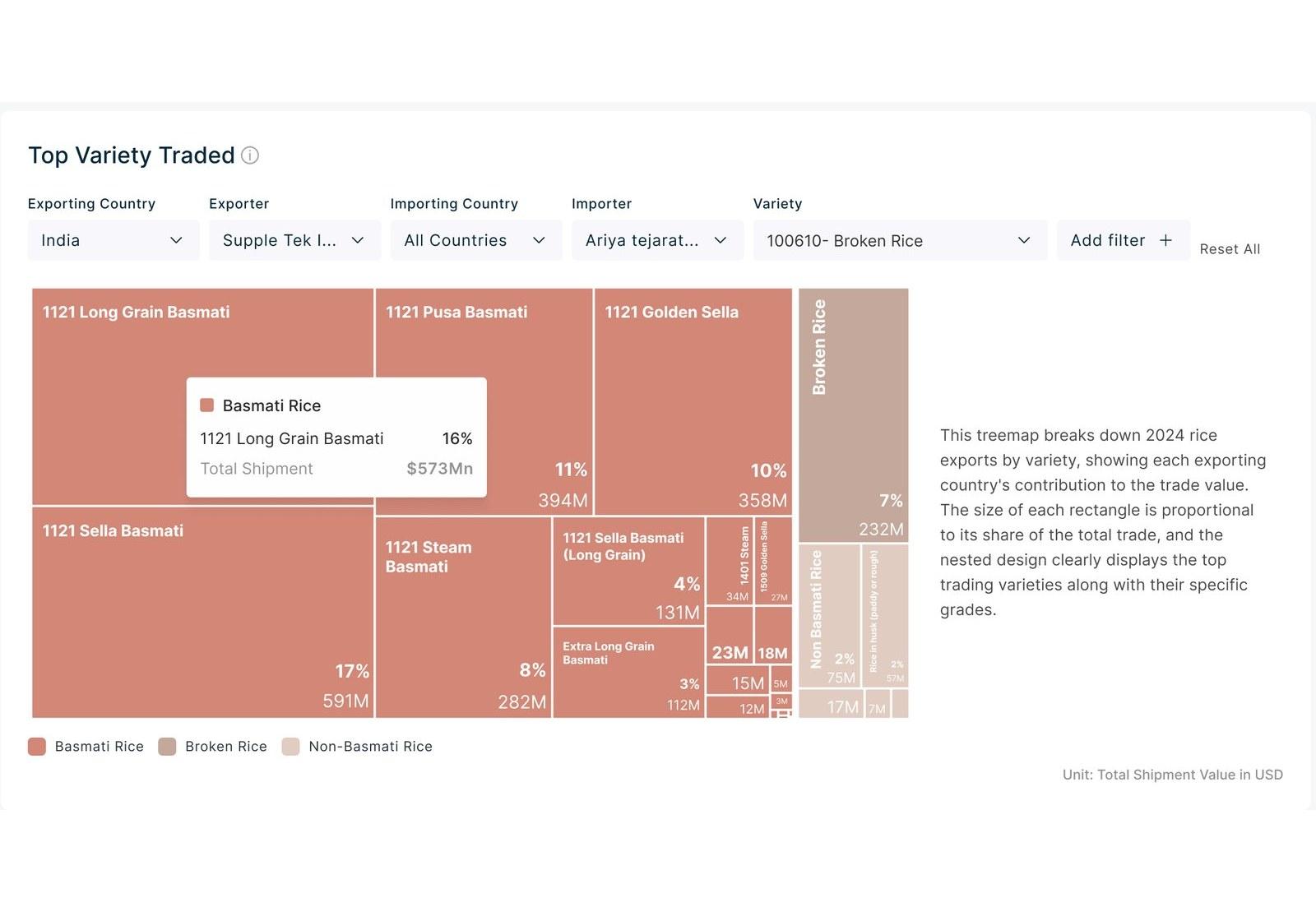
Product Analytics, varieties traded
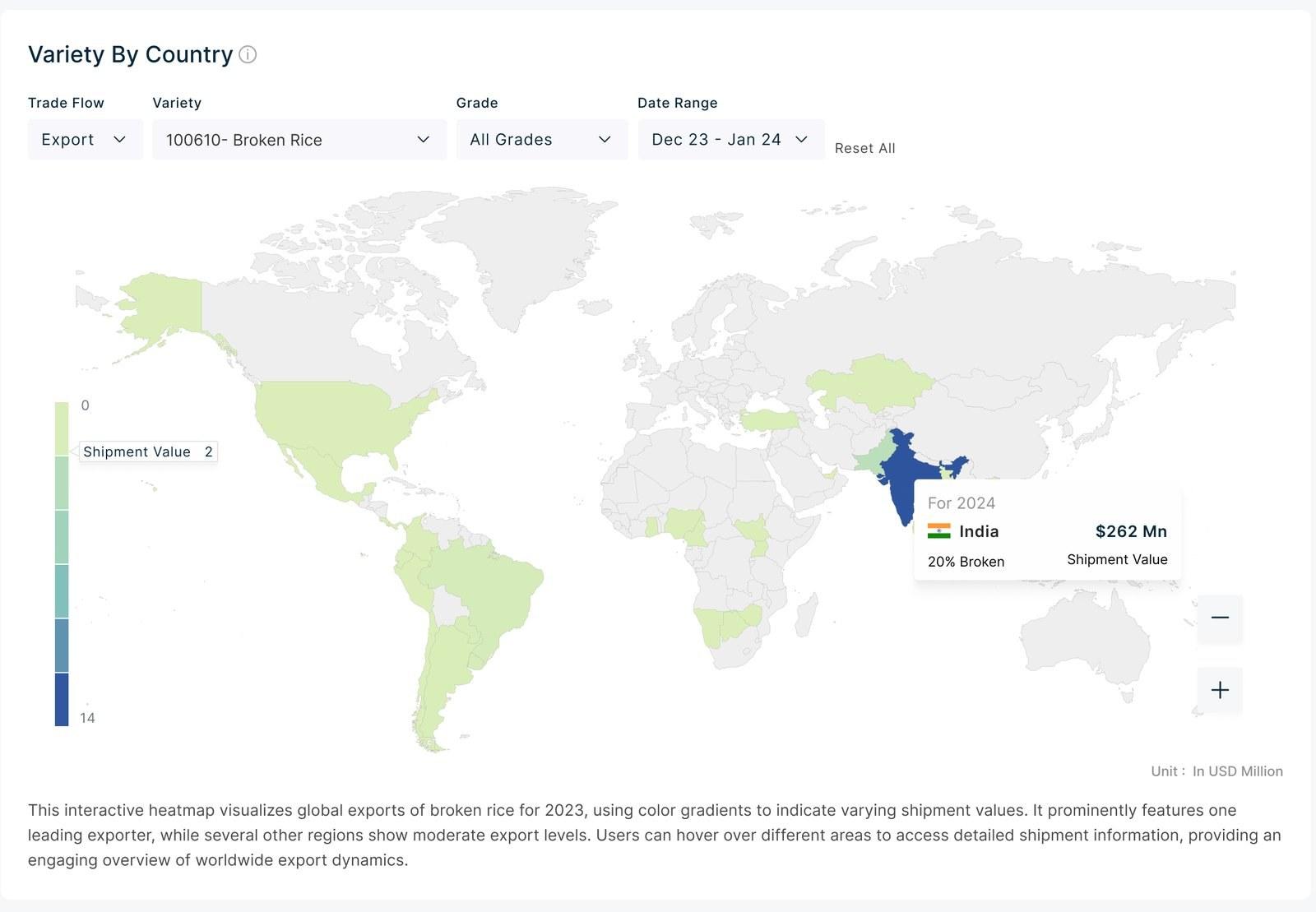
Product Analytics, map
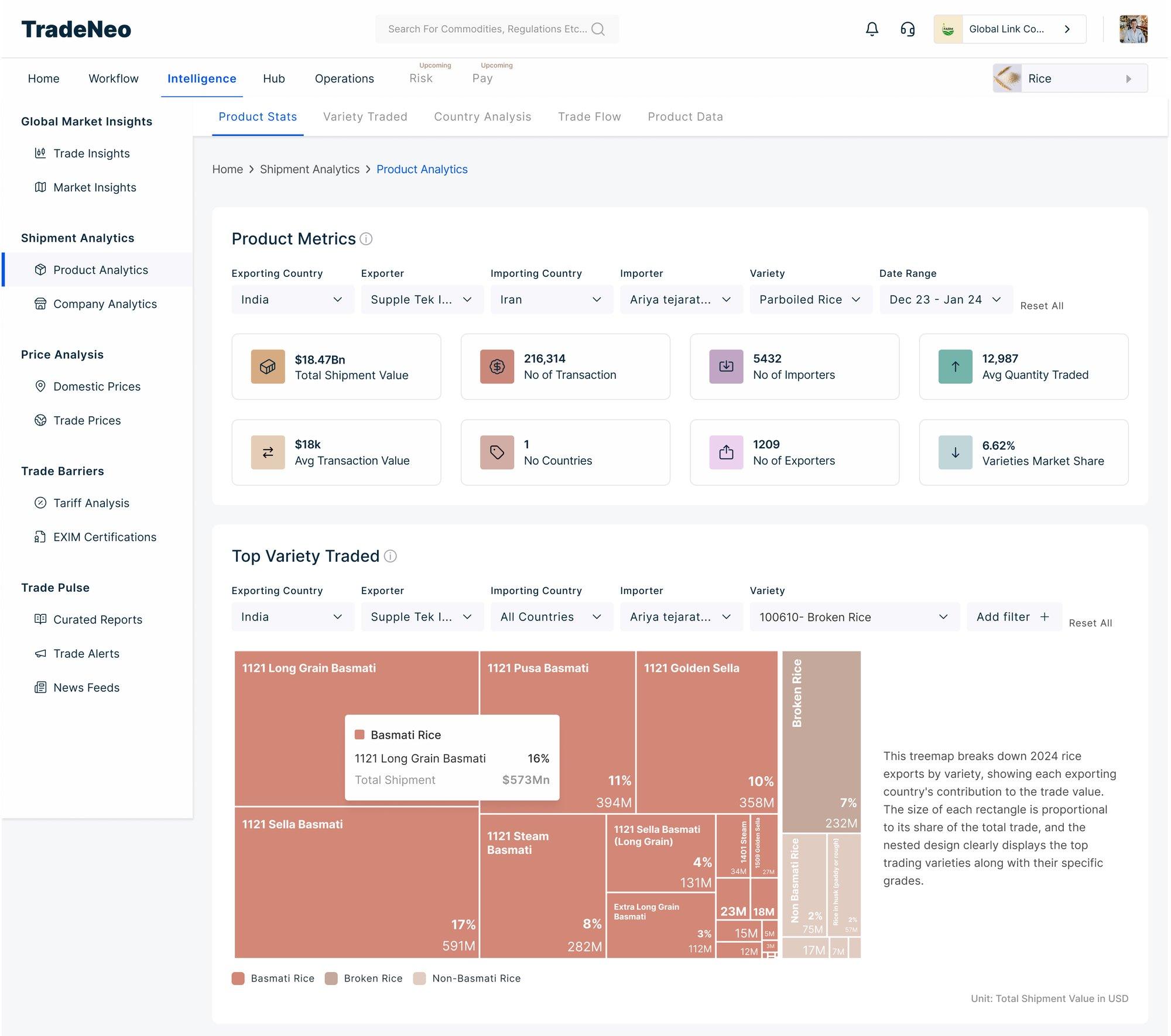
- 01Filters: the same row on every chart.
- 02Tiles: one structure for every metric.
- 03Tooltip: same behaviour as Trade Insights.
Filters were a challenge of their own. Every page in every module had them, and in Intelligence every chart has its own set.
I kept their border stroke at 0, a solid fill only, so the chart stays the hero in every section.
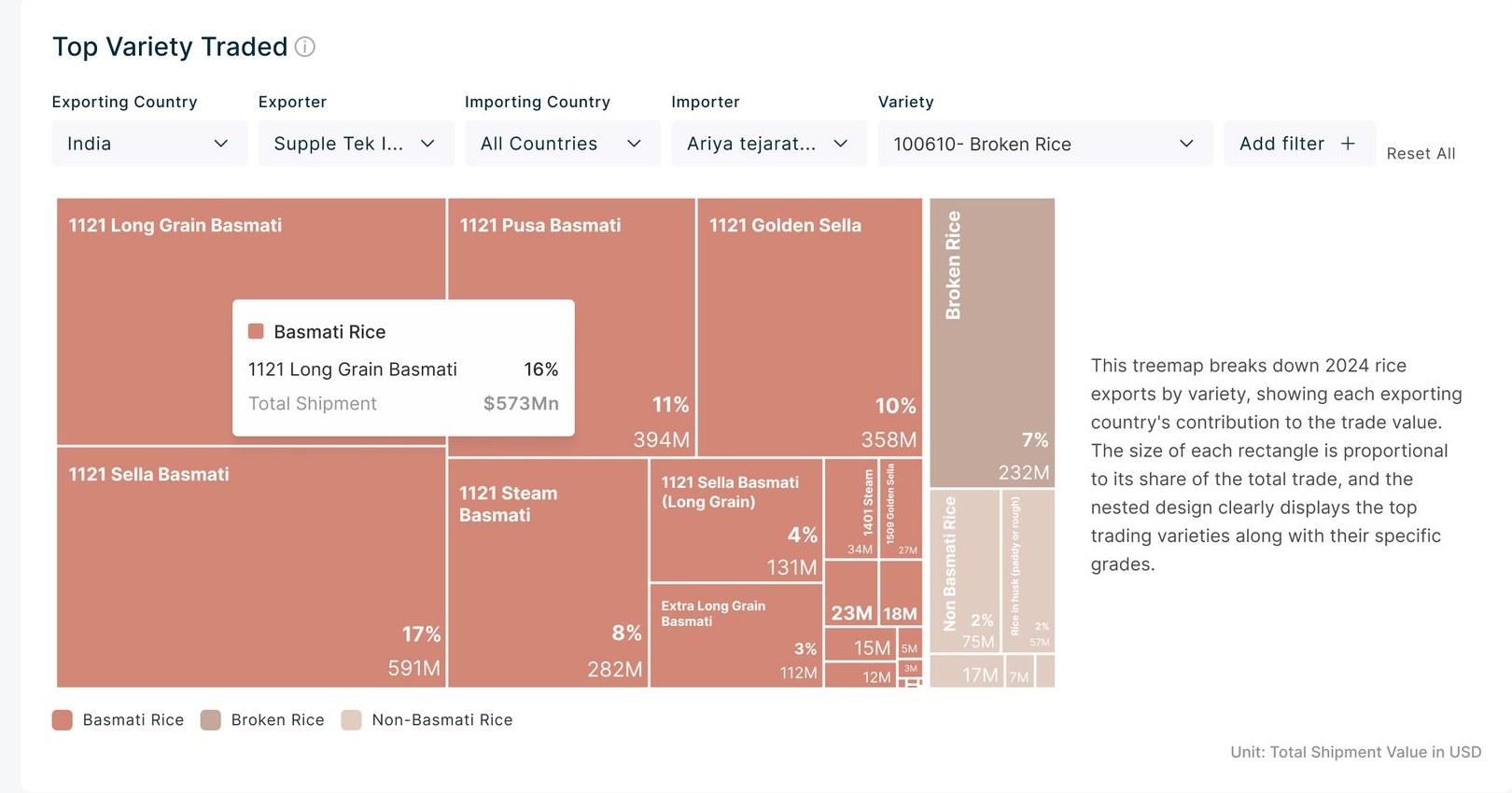
- 01Each chart carries its own filters.
- 02Filters sit in a solid fill with no border, so the chart stays the hero in every section.
08 · Across modules
The same language in Hub and Operations.
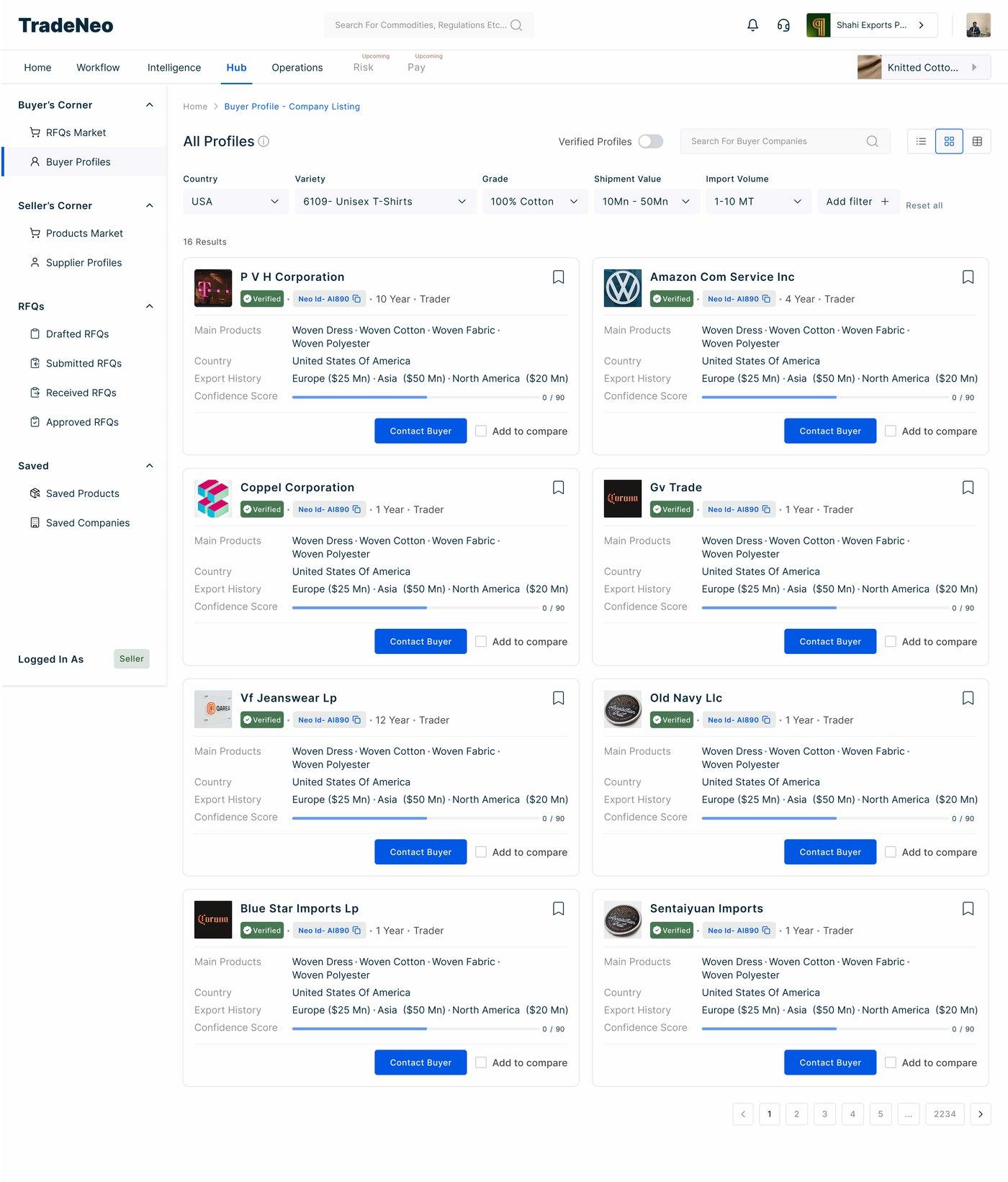
- 01The filter row from the analytics pages.
- 02Company cards: grey labels, dark values.
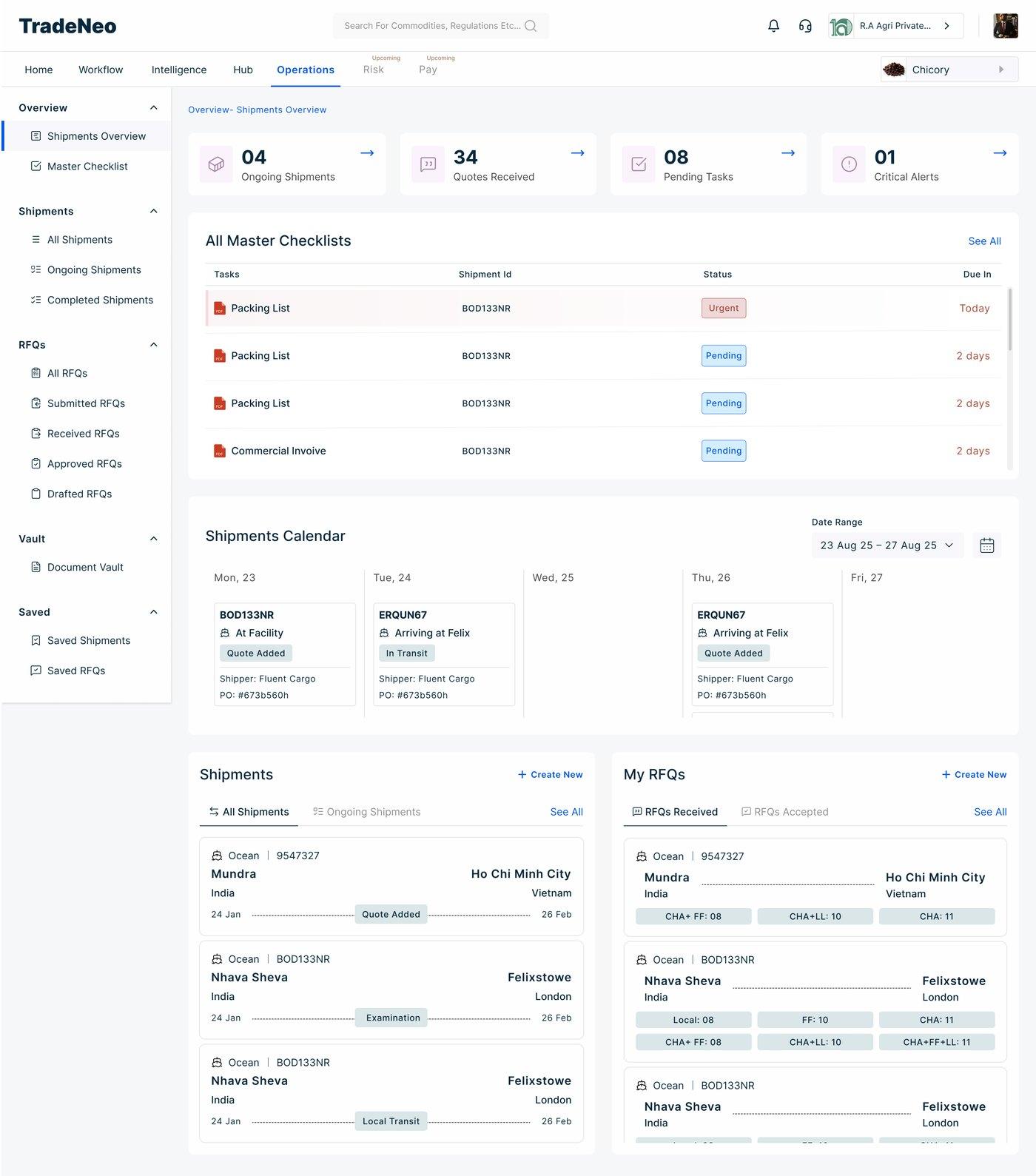
- 01Tiles again, now counting shipments and tasks.
- 02Tags: one treatment for every status.
- 03Calendar entries reuse the same card and tag.
Different workflows. Different data. Same design language.
09 · Before and after
Before
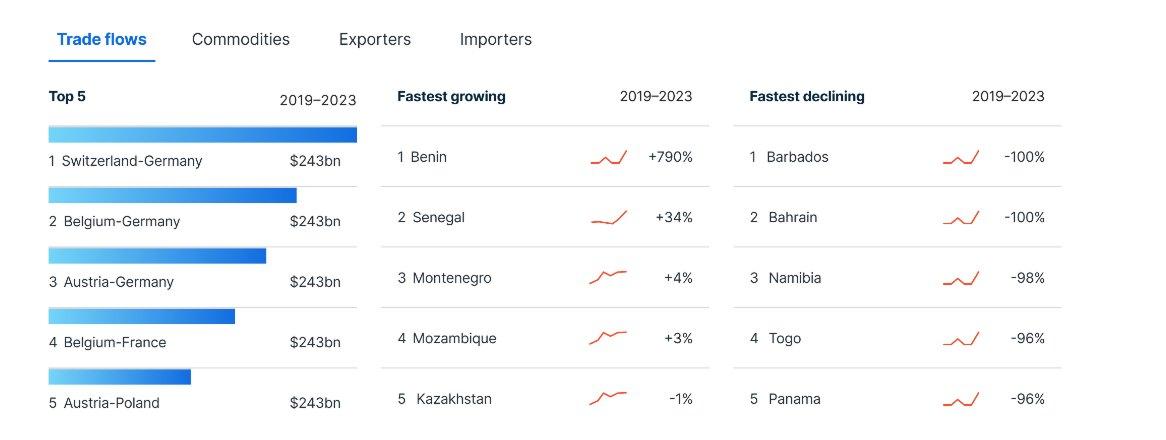
- 01Tabs with no icons.
- 02Titles: “Top 5”, “Fastest growing”, “Fastest declining”.
- 03Rank numbers in regular weight.
- 04Red for growth and for decline.
Growing and declining look the same.
After
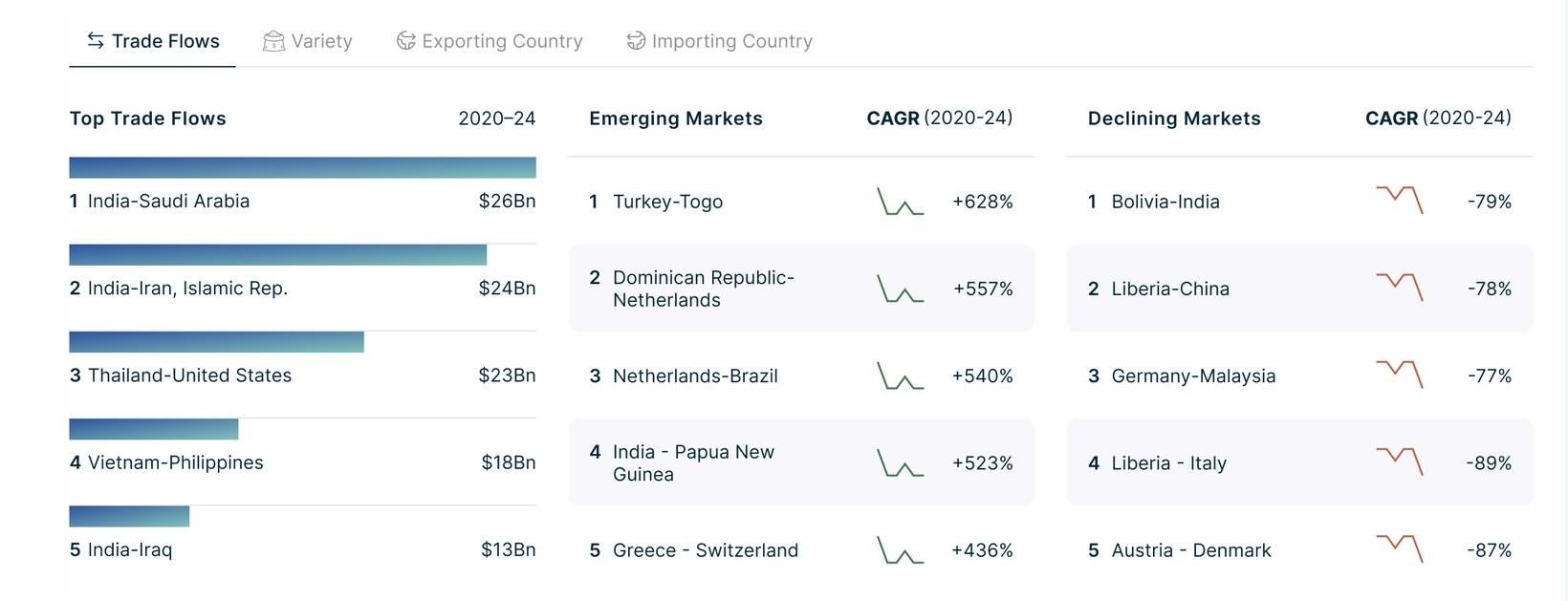
- 01An icon on each tab, for quick recognition.
- 02Clearer titles: Top Trade Flows, Emerging and Declining Markets.
- 03Rank numbers in bold.
- 04Green for emerging, red for declining.
Colour, wording, tab icons and rank numbers all changed.
Before
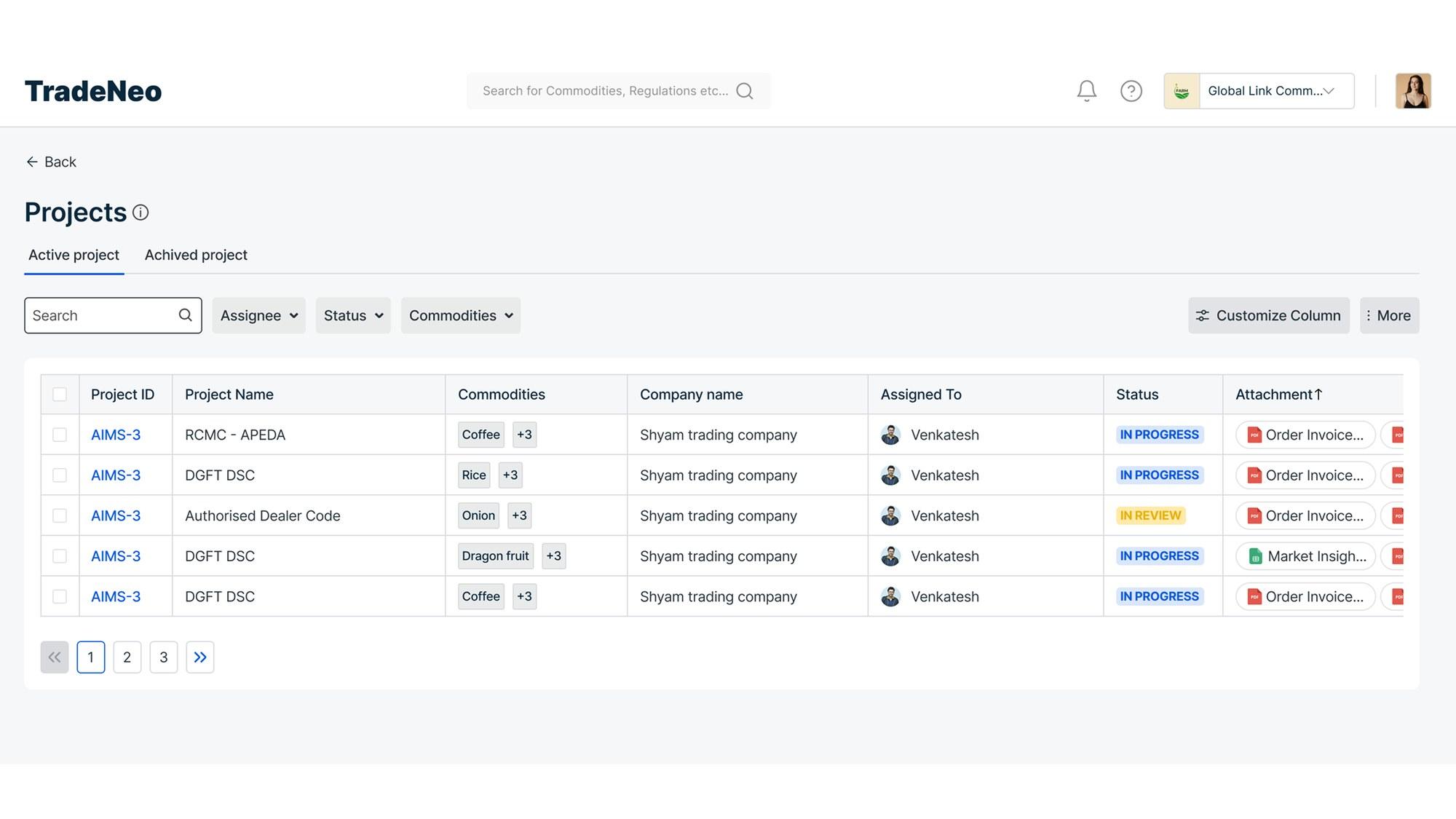
- 01Plain rows. The eye can slip a line.
Every row the same white.
After
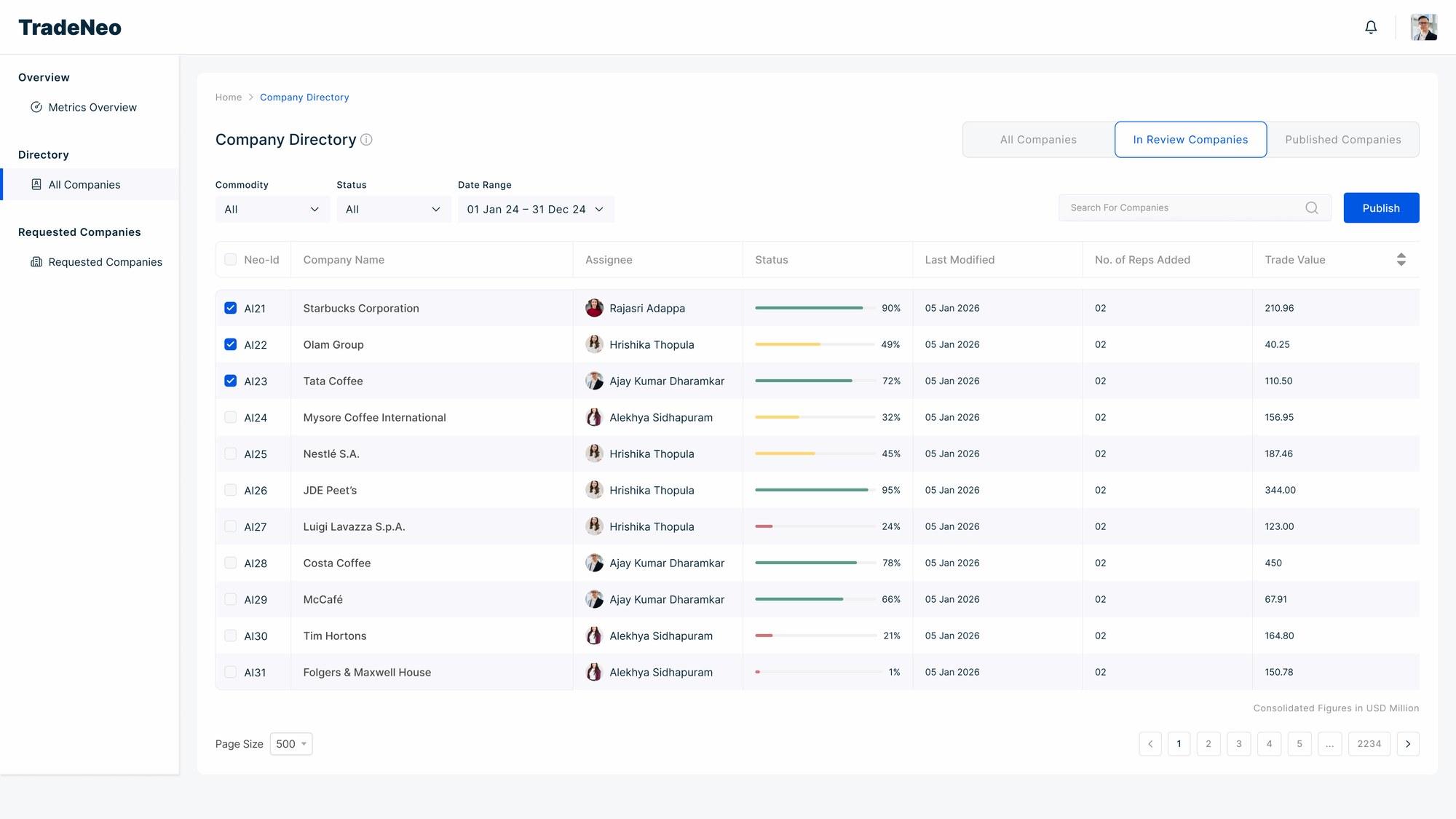
- 01Alternate rows tinted.
Zebra striping on every dense table.
| Measure | Before | After |
|---|---|---|
| Decisions | Solved locally, screen by screen | Shared rules that could be reused |
| Colour | Choices varied | Colour had defined meaning |
| Chart behaviour | Varied | Defined patterns |
| Patterns | Recreated each time | Components became building blocks |
| New views | Started from the screen | Started from an established foundation |
| Dense tables | Plain rows | Zebra striping |
What changed?
10
- ConsistencyA shared visual language across dashboards and product areas.
- ReusePatterns could be applied instead of recreated.
- ScaleNew analytics views had an established foundation.
- Design + engineeringVisual intent could be discussed and aligned with implementation.
What I took away
I used to think of a component library as a way to keep screens consistent.
Working on TradeNeo changed that for me.
In a data-heavy product, the system isn't just visual polish. It helps define how information is represented, how patterns behave, and how the product can grow.
The most valuable part wasn't making today's screens consistent.
It was making tomorrow's decisions easier.