Redefining the RFQ interaction model
How I mapped real procurement journeys and designed a buyer-initiated negotiation flow for Hub.
- Role
- Senior Product Designer
- Team
- Me and a junior designer
- Timeline
- 4 weeks
- Methods
- Journey mapping · stakeholder interviews · contextual inquiry · card sorting · market research
- Status
- Available to beta users
01 · The starting point
Buy orders and sell orders. No defined negotiation journey.
Hub was early in development. The first version had an Order Book, borrowed from the bid and ask of financial markets: buyers posted buy orders, suppliers posted sell orders, and either side could submit quotes.
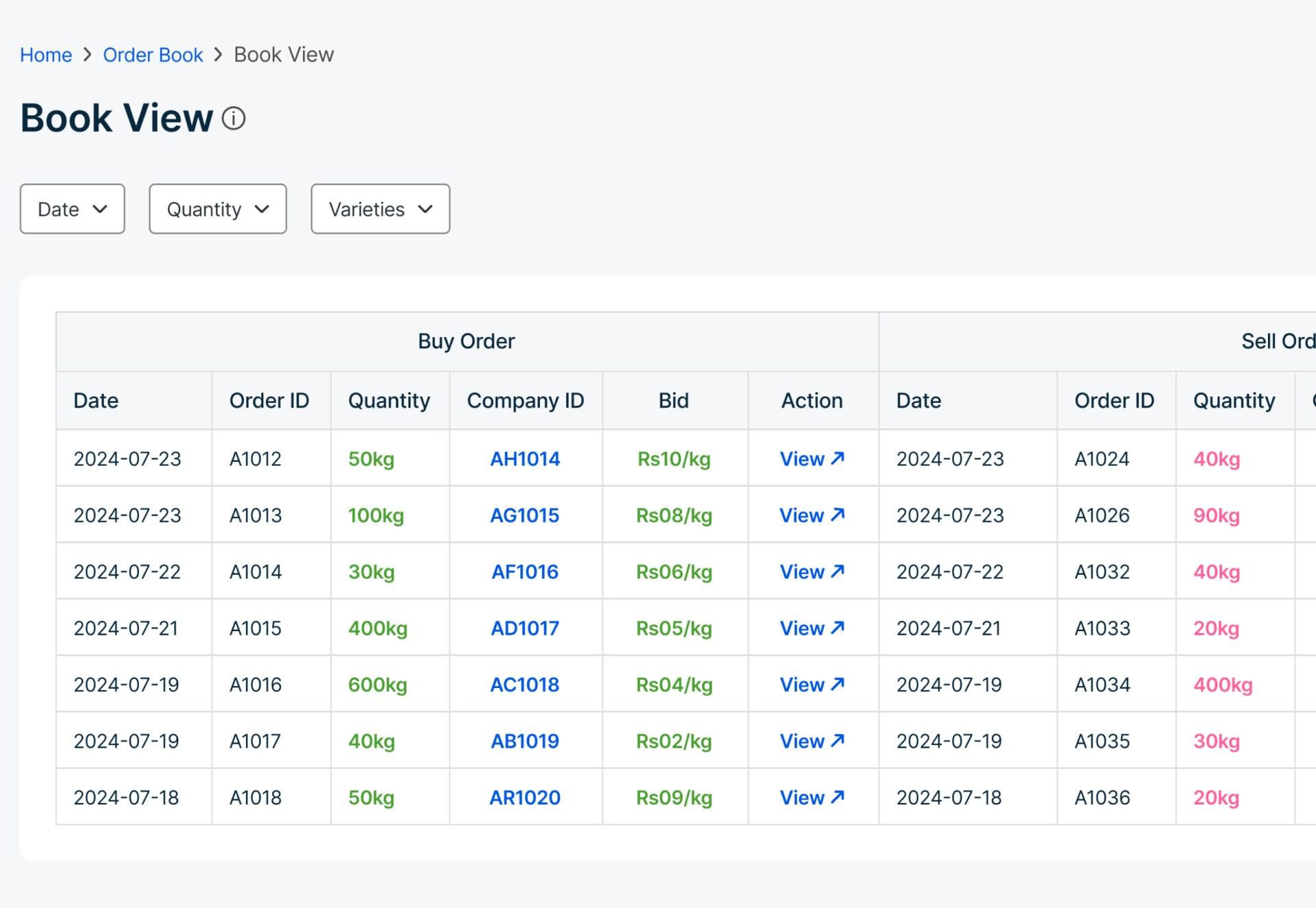
- 01Both sides could initiate activity.
- 02Buy orders in one table.
- 03Sell orders in another.
- 04What happens after View?
Buy Order
Sell Order
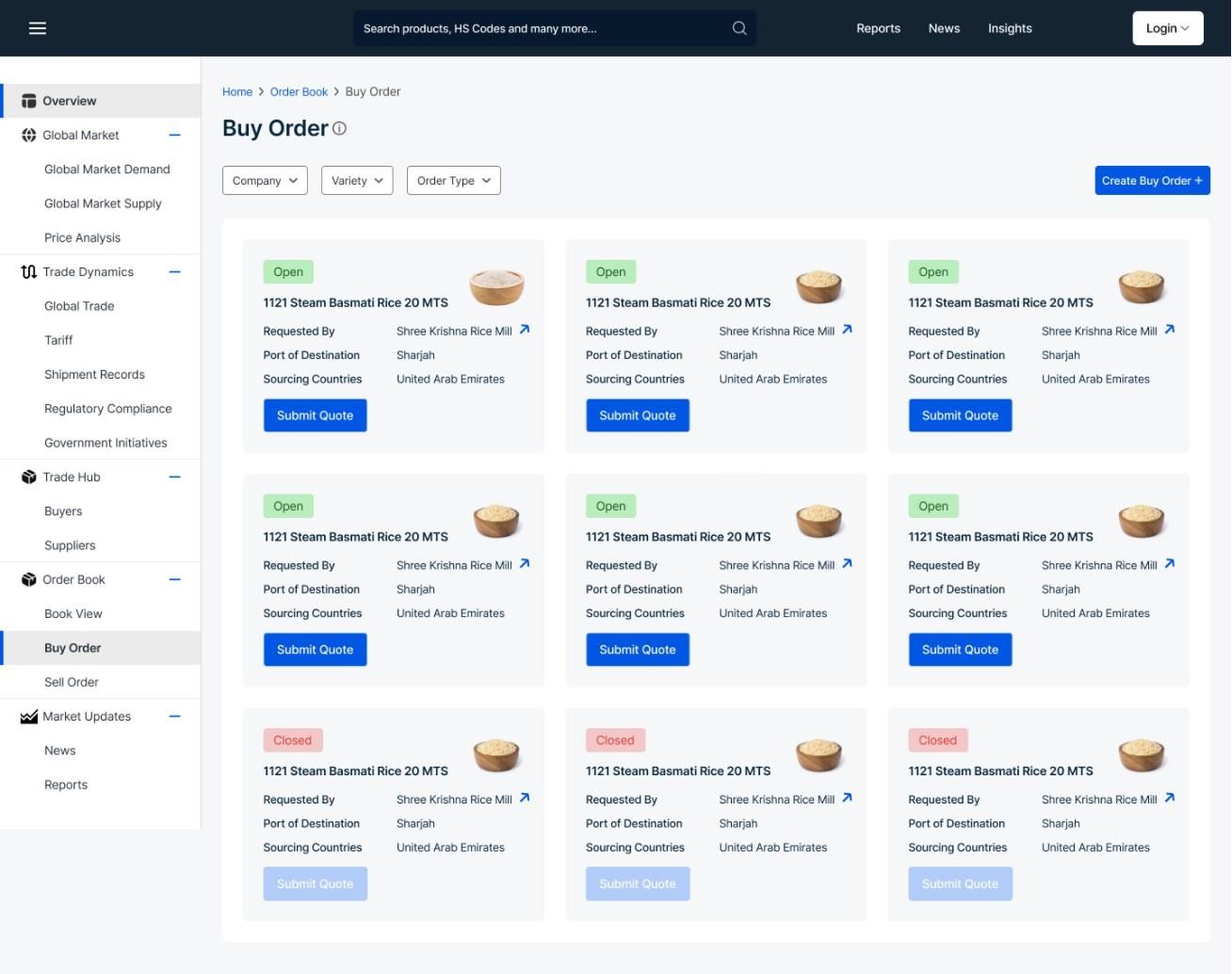
Buy order
A buyer posts what they need.
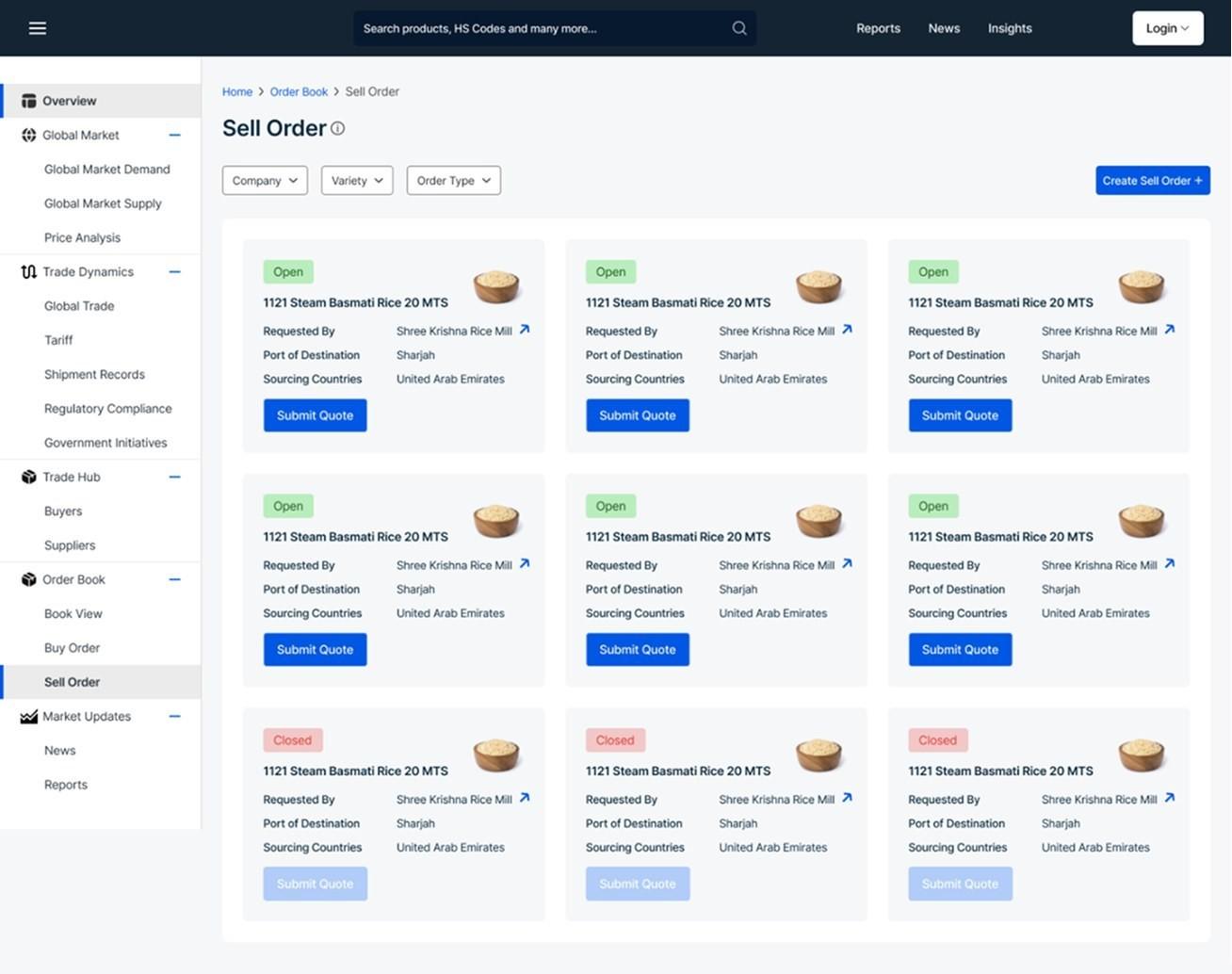
Sell order
A supplier posts what they have.
02 · What concerned me
Creating a quote was only the beginning.
The distinction I noticed was that, unlike financial stock trading, where buyers and sellers can transact without knowing each other or having a direct conversation, export trade depends on building trust and aligning on the details before a physical transaction can happen. A buyer and supplier need to discuss requirements, quantities, pricing, and terms before moving forward. The order-book model made supply and demand visible, but it didn't fully account for the conversation needed to turn that intent into a real trade.
- Order posted
- Quote submitted
- Then what?Who acts next? Where does negotiation happen? How does it end?
03 · Back to actual user journeys
Same trade. Different jobs. The buyer starts with a requirement; the supplier responds to one.
I mapped the persona's journey to understand how procurement actually happened: what the buyer was trying to achieve, and how the supplier responded.
Thinking about the mandi alongside it reminded me of the physical conversation behind a transaction. A buyer comes with a specific requirement, and a supplier responds to that requirement.
That made me look again at the early Hub model. Buy Order and Sell Order let both sides start activity, but the interaction between them hadn't been worked out end to end.
So I stopped designing two separate order experiences and started defining how a buyer's requirement could open a connected interaction with suppliers.
Who does what?
Buyer
- Has a requirement
- Finds suppliers
- Asks for quotes
- Compares + negotiates
- Decides
Supplier
- Has supply
- Gets discovered
- Sees a requirement
- Chooses to quote
- Negotiates
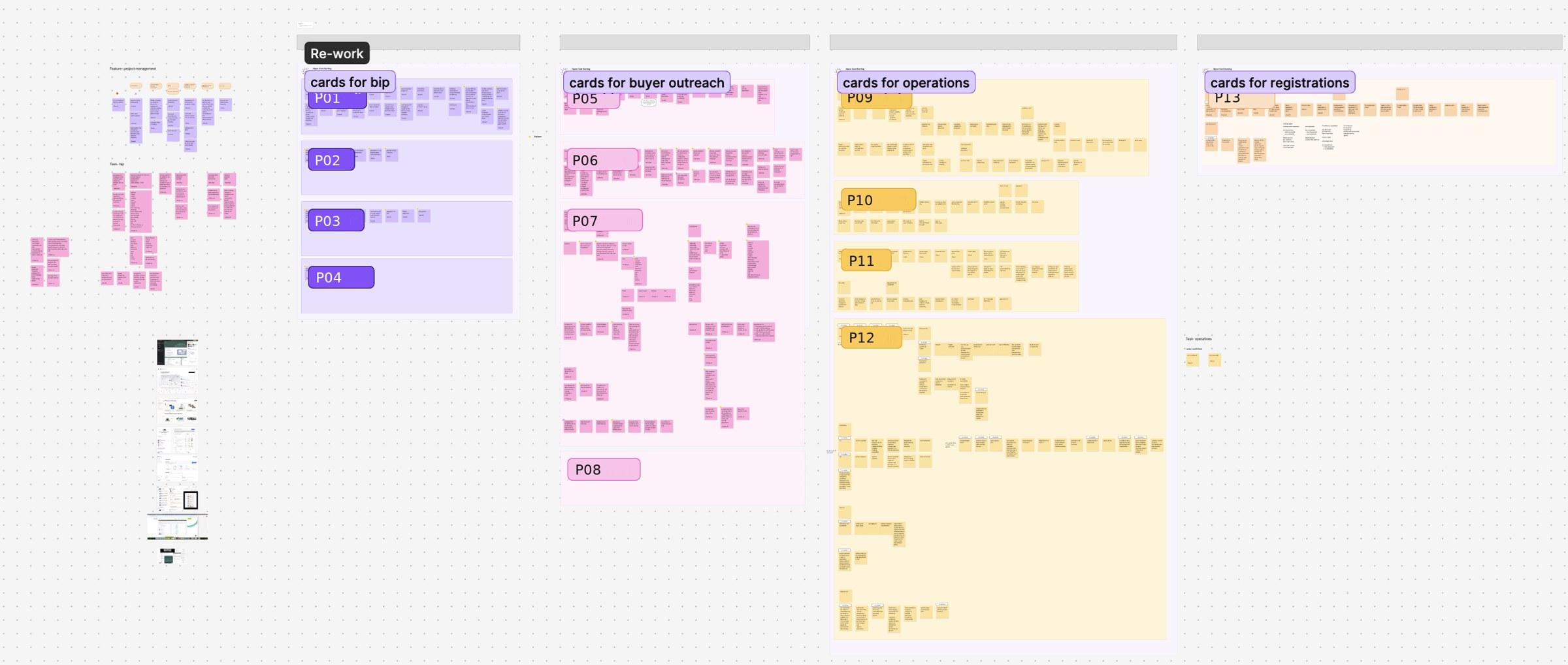
- 01One lane per participant.
- 02Sorted by area of the business.
04 · The interaction model changed
One clear starting point: the buyer's requirement.
For the procurement workflow we were designing, the buyer initiated the requirement and suppliers responded. So I designed the RFQ to start with the buyer.
Relevance comes from the HS code. The buyer picks one for the RFQ, the backend filters suppliers on it, and only those relevant suppliers are notified.
- Buyer selects the HS code
- Backend filters relevant suppliers
- RFQ published to the market
- Relevant suppliers notified
- Suppliers choose whether to respond
- Quote, negotiation, outcome
05 · Why an RFQ
More structure than a message. More flexibility than an immediate purchase.

- 01The requirement, built in six steps.
- 02Relevant suppliers, filtered on the RFQ's HS code, are notified by email.
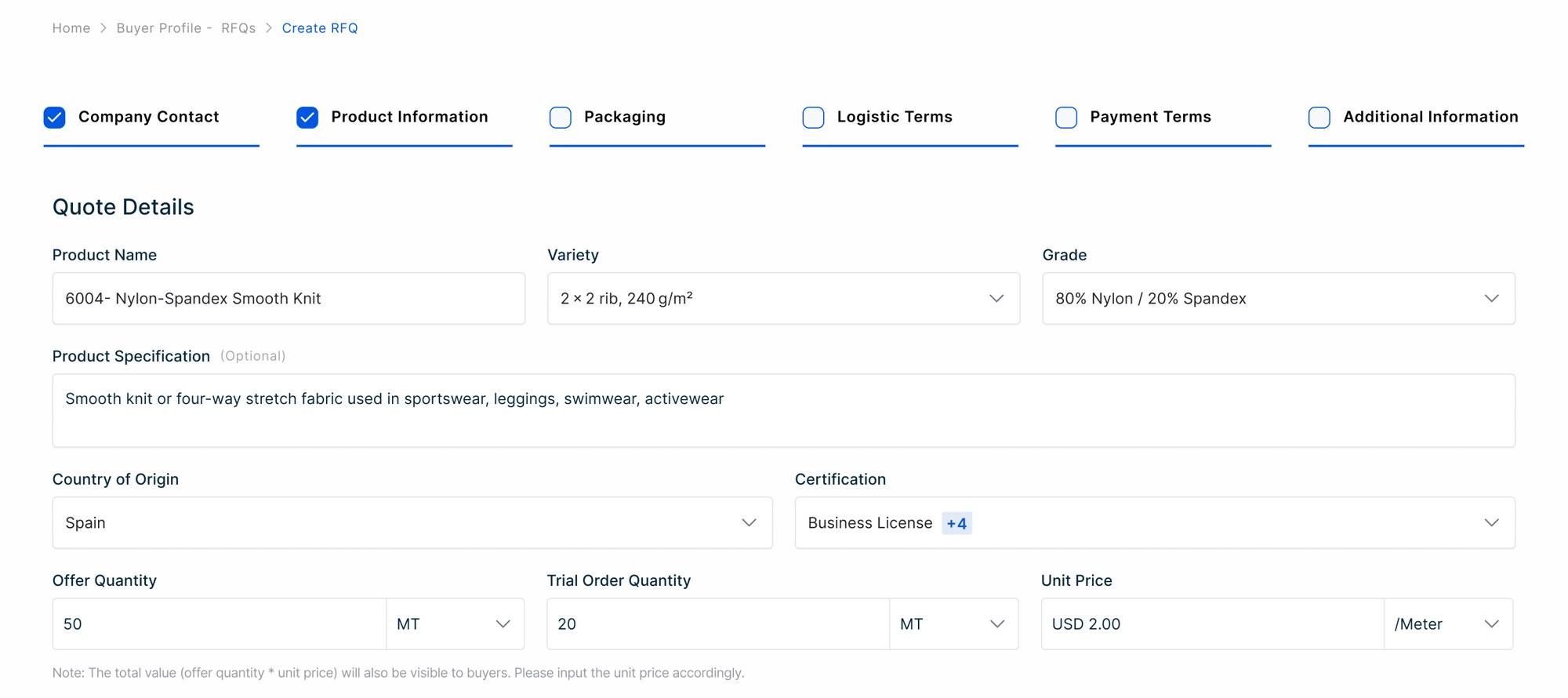
- 01The HS code comes with the product name: 6004. The backend filters suppliers on it.
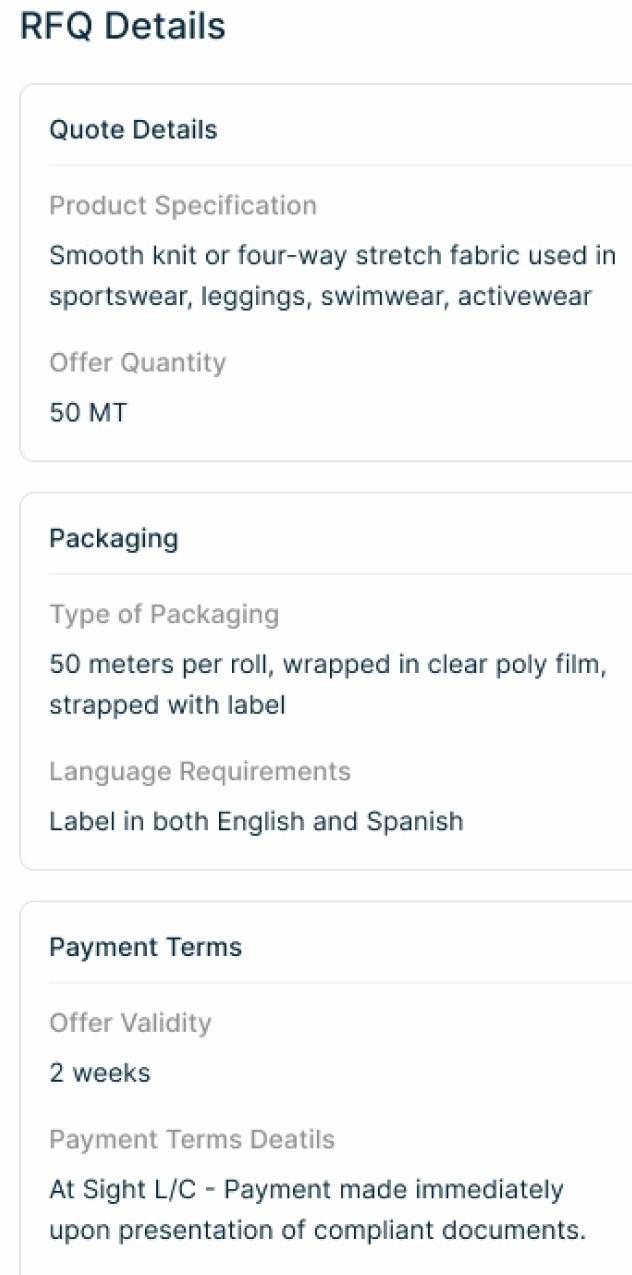
An RFQ carries the whole requirement: what, how much, how it's packed, how it's paid for, and how long the offer stays open.
Every quote and every counter refers back to it.
06 · The state model
Defined what happens after every action.
I defined the states, who owns the next move in each, what they can do, and where each action leads. Current state → who acts → available action → next state.
- DraftThe buyer prepares it.
- SentPublished. Relevant suppliers can quote.
- Supplier quoteNot a state of its own. The buyer's move.
- CounteredEither side. Turns alternate.
- Accepted · Rejected · ExpiredRejecting a quote leaves the RFQ open to others. Expiry is the 45-day timeout.
Drafts the RFQ and selects the HS code
Publishes it to the RFQs Market
Sees the RFQ and chooses whether to respond
Submits a quote
- Submit Quote
Decides on the quote
- Accept
- Counter
- Reject
Responds to the counter
- Approve
- Counter
- Reject
- AcceptedEither side accepts or approves. The deal is agreed.
- RejectedThat quote's negotiation ends. The RFQ stays in the market for other suppliers.
- ExpiredThe 45-day request duration ran out with no action.
- DraftWho actsBuyerActionSelects the HS code, finishes and publishesSent
- SentWho actsRelevant suppliersActionChoose whether to submit a quoteBuyer's move
- SentWho actsBuyerActionAccepts the quoteAccepted
- SentWho actsBuyerActionCounters the quoteCountered
- SentWho actsBuyerActionRejects the quote. The RFQ stays in the market for other suppliers.Rejected
- CounteredWho actsThe other partyActionApproves the counterAccepted
- CounteredWho actsThe other partyActionCounters againCountered
- CounteredWho actsThe other partyActionRejects the counterRejected
- Sent · CounteredWho actsNobody actsActionThe 45-day request duration runs outExpired
07 · From states to screens
The interface followed the logic.
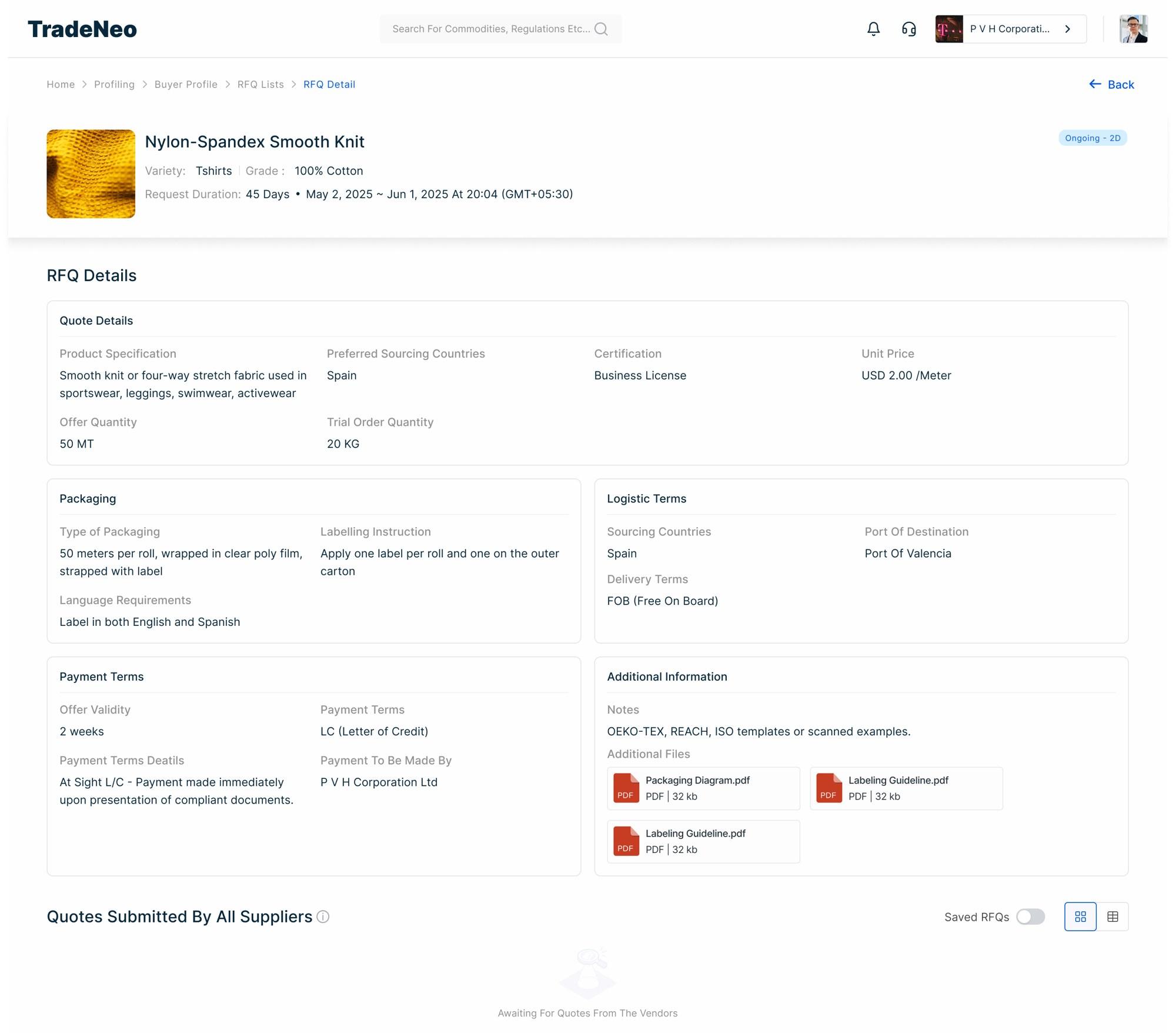
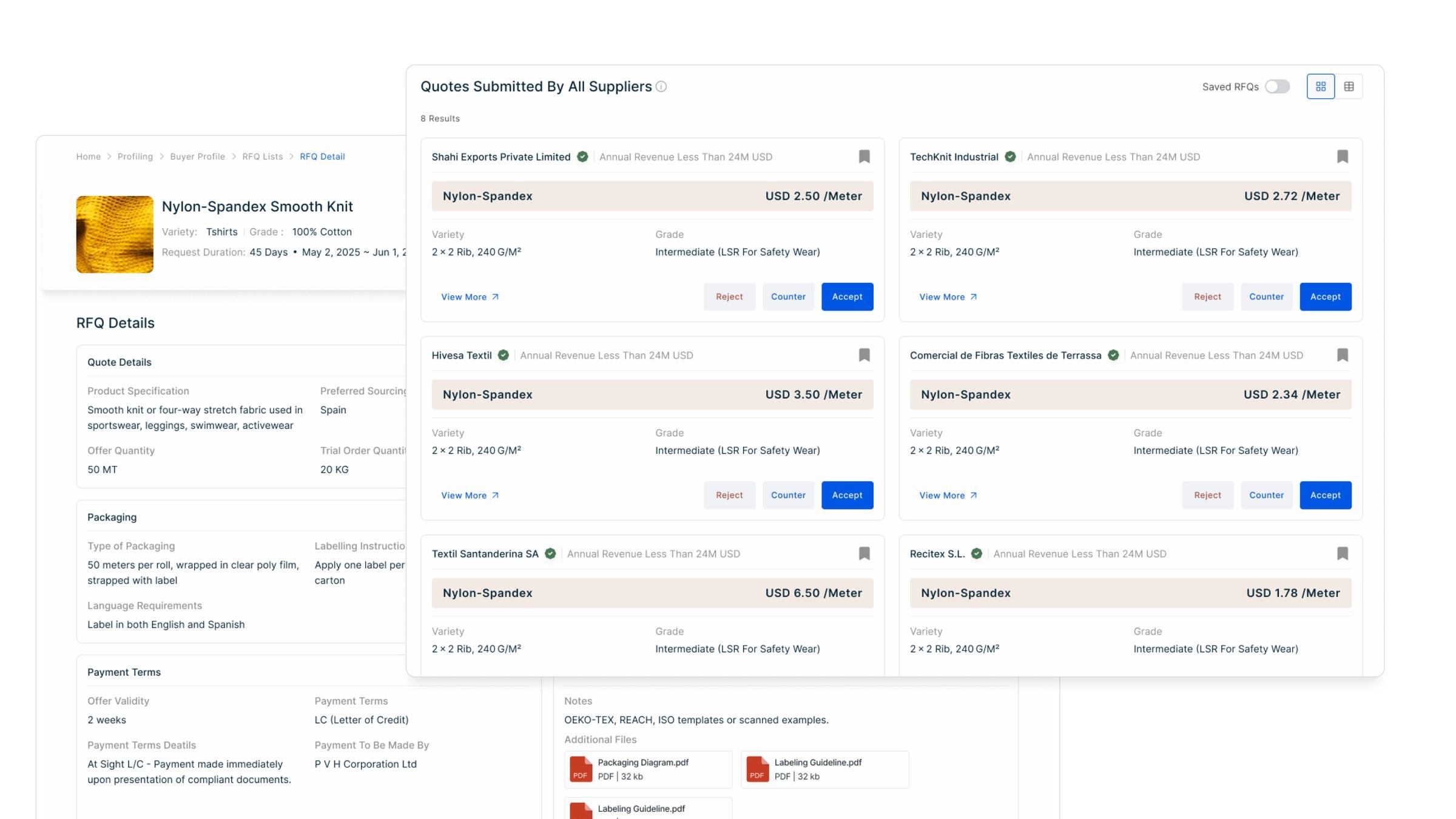
- 01Sent and open.
- 02The request duration: when it runs out, the RFQ expires.
- 03Awaiting quotes: the next move is the suppliers'.
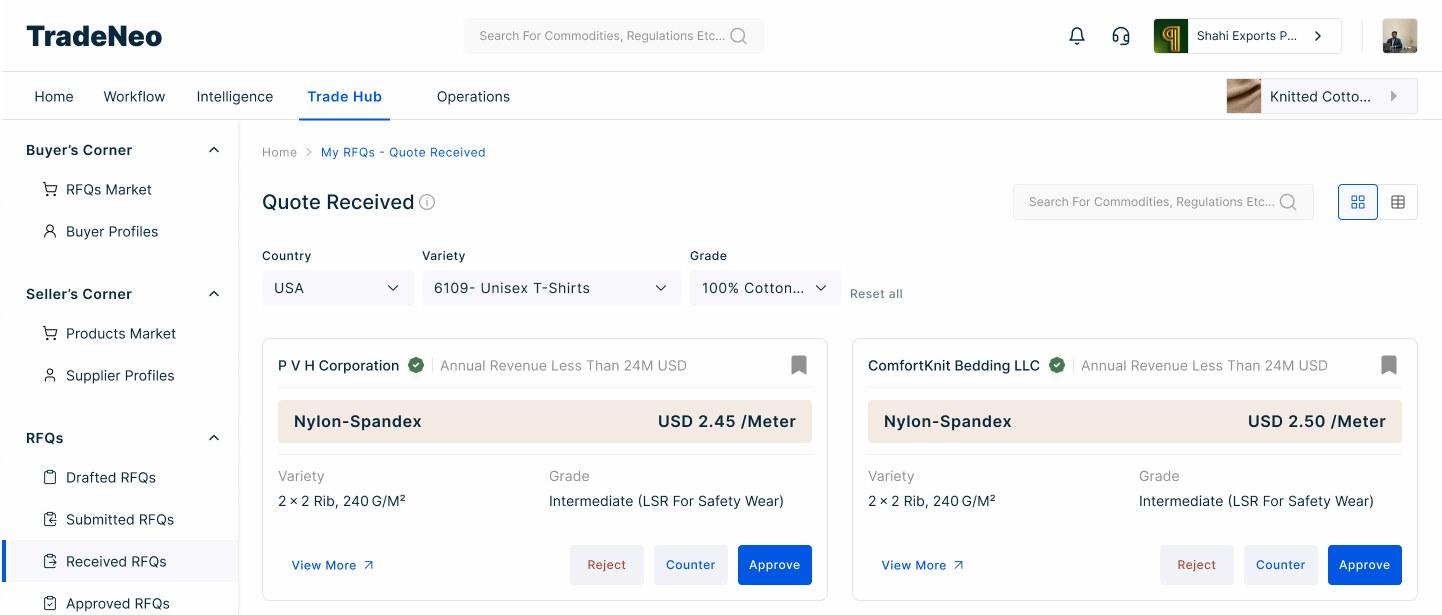
- 01The price leads the card.
- 02The decision sits on the card: Reject, Counter, Approve. Any of them changes the state.
08 · The negotiation in motion
A state wasn't just a label. It decided what you could do next.
Sent · supplier
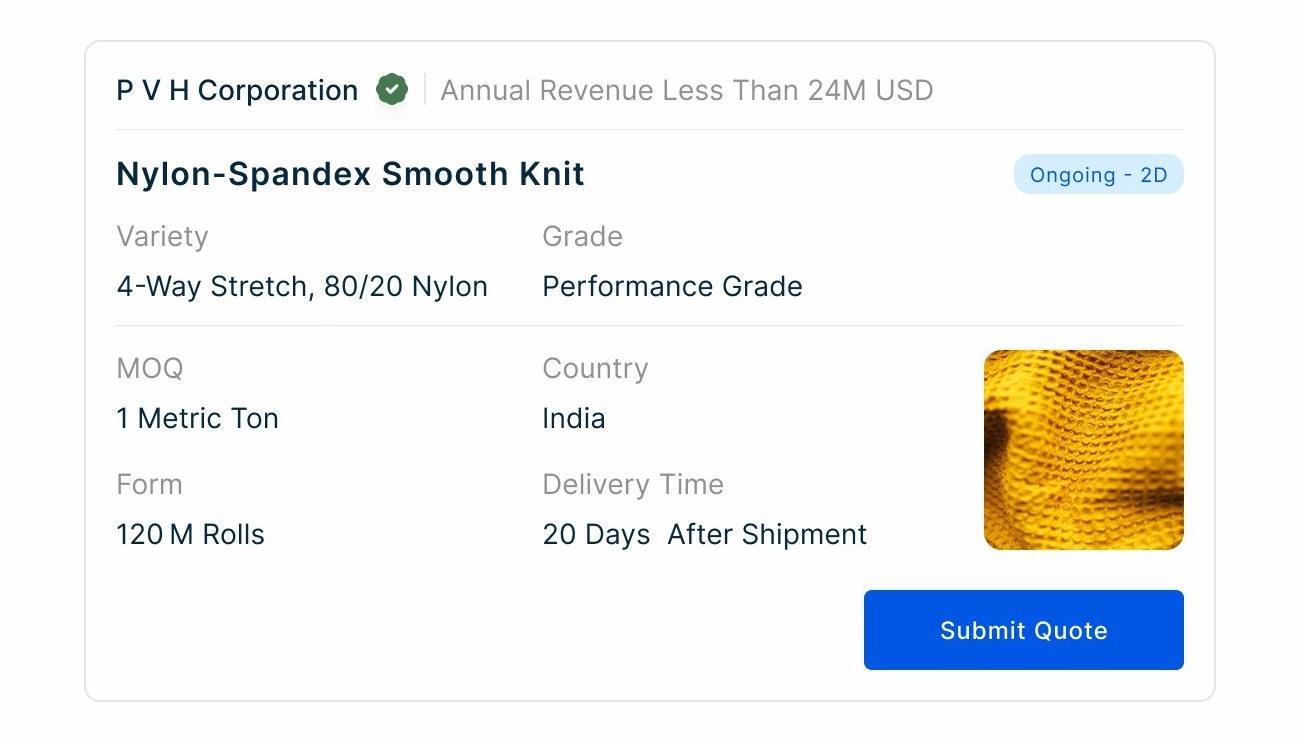
One action: Submit Quote.
Quote in · buyer
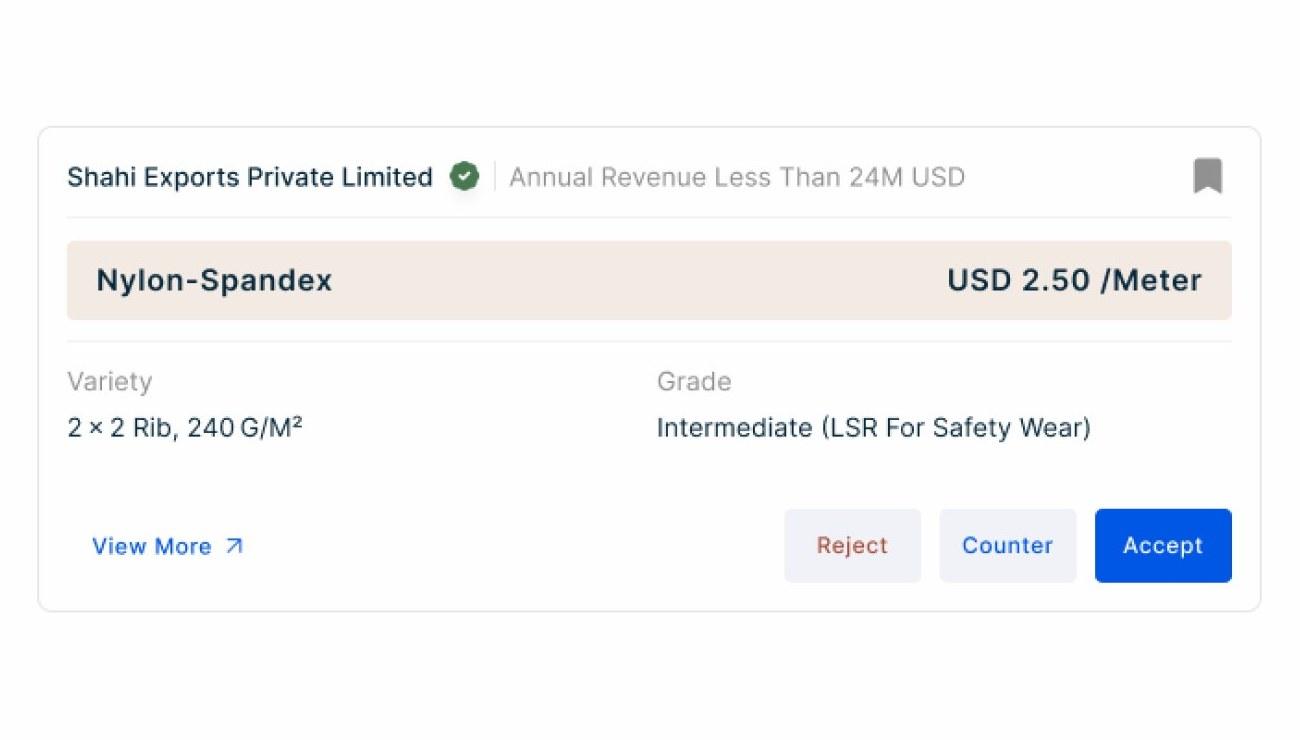
Reject, Counter or Accept.
Accepted
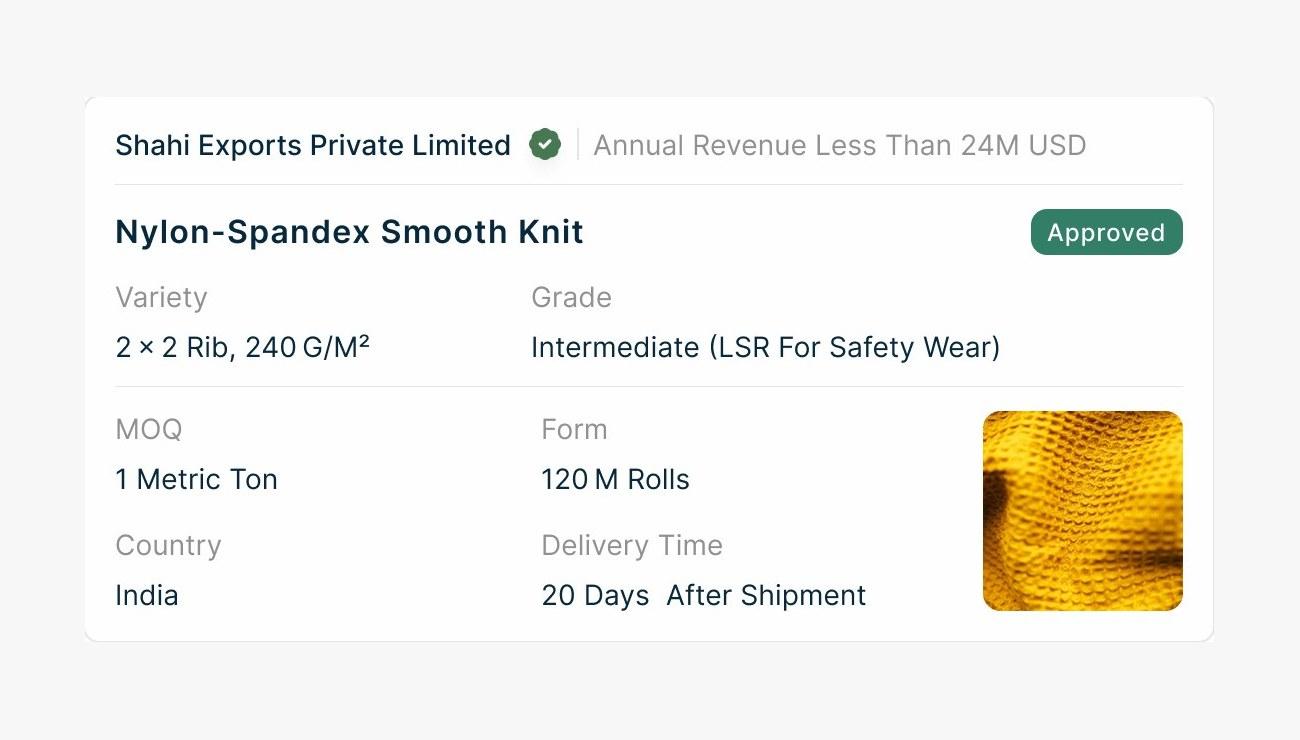
No buttons left. It's done.
What changed?
09
| Measure | Before | After |
|---|---|---|
| Starting point | Separate buy and sell orders; either side starts | The buyer's RFQ |
| Connection | Not yet defined | HS code filters relevant suppliers; they choose to respond |
| Negotiation | Stages still to be defined | Defined states and transitions |
| Next move | Unclear | Set by the state |
What I took away
I started by looking at the Buy Order and Sell Order pages, but the harder problem was what happened between them.
Mapping the real journeys helped me rethink who should start the interaction. From there I defined the RFQ's states, actions and transitions, so the negotiation had a structure both sides could follow.
The biggest change wasn't another order screen. It was the logic that connected the two sides.
What I delivered
- A buyer-initiated RFQ interaction model.
- An HS-code-based supplier-relevance flow.
- RFQ state-transition logic, including action ownership and negotiation rules.
- Product interfaces that turned the model into distinct RFQ and quote states.
Current status: in beta. The redesigned RFQ experience is available to beta users.