Order Management
Empowering teams with clearer trade visibility and control.
An order management system for trade operations. It brings trade updates, conversations and tasks into one place.
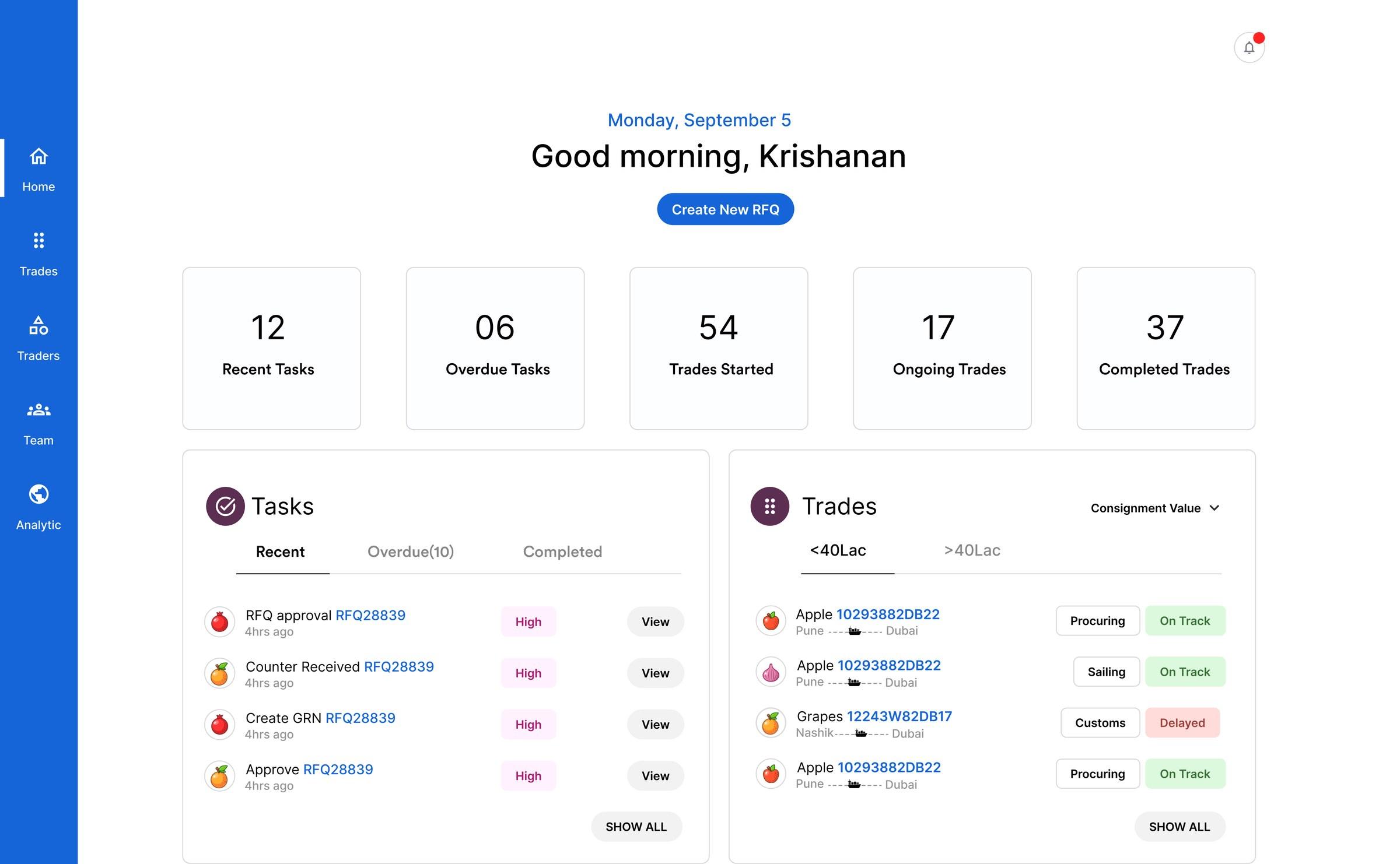
- Role
- UI/UX Designer. I led the project.
- Year
- 2022
- Team
- Team of 2: me and a senior designer, who gave critique and feedback on the designs.
- Built for
- Supply Chain · Sales · Finance
- First MVP
- 8 weeks
The problem
It's Friday afternoon.
A supply chain manager gets urgent instructions: dispatch a large shipment to Vietnam by Monday.
But details are missing, and the documents are scattered across email chains and chat apps. He spends hours on calls, chasing updates and approvals.
Without reliable status updates, teams face delays, miscommunication and stress.
Who it affects
One missing status update
- Supply Chain“I need to dispatch tomorrow, but I can't get a status update.”
- Sales“Clients keep asking for delivery dates. I have nothing concrete to tell them.”
- Finance“Without status info, I can't finalise the budget and payments on time.”
A missing update doesn't stay in one department.
Sales can't promise, finance can't budget, and operations stalls. The whole team waits.
The design question
How might we
…create a solution that enhances transparency, streamlines the trade process, and fosters collaboration across teams?
What we were designing for
Three goals. Each one became a part of the product.
Transparency
At-a-glance visibility into trade activity.
Status
Efficiency
Communication inside the trade workflow.
Chat
Reliability
A consistent, task-based trade process.
Timeline
Status
A quick overview of trade activity, so teams stay aligned and can act in time.
Status
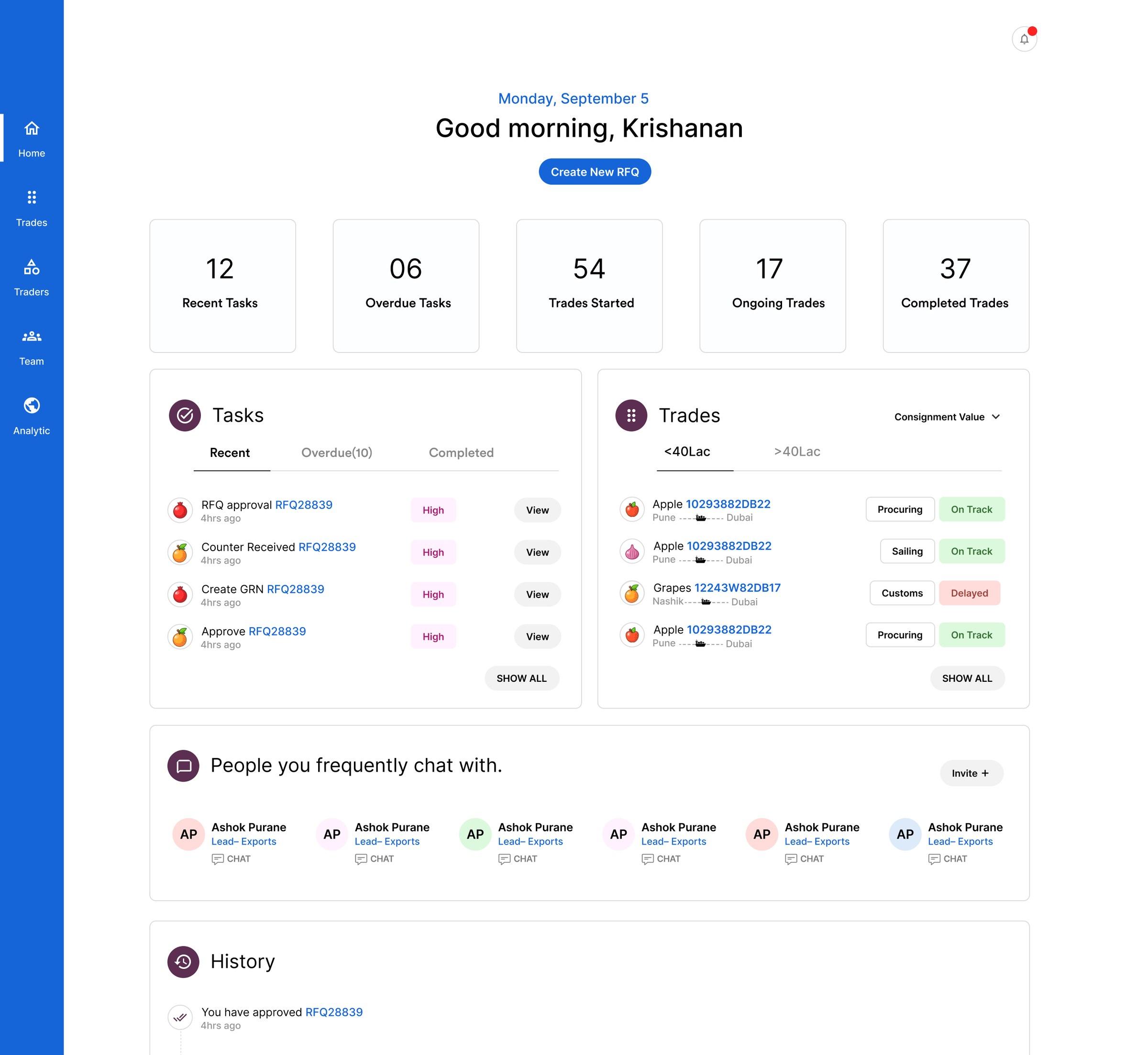
- 01A snapshot of tasks and trades before opening anything.
- 02Ongoing trades, each with its stage and status.
- 03Tasks to act on now, without waiting.
- 04The people you message most.
- 05A history of what you've already done.
Stage and status sit side by side, so a delayed trade stands out.
The dashboard gives teams a quick view of what is happening and where action is needed.
Chat
Trade-related discussions, with both group and private messaging.
Chat
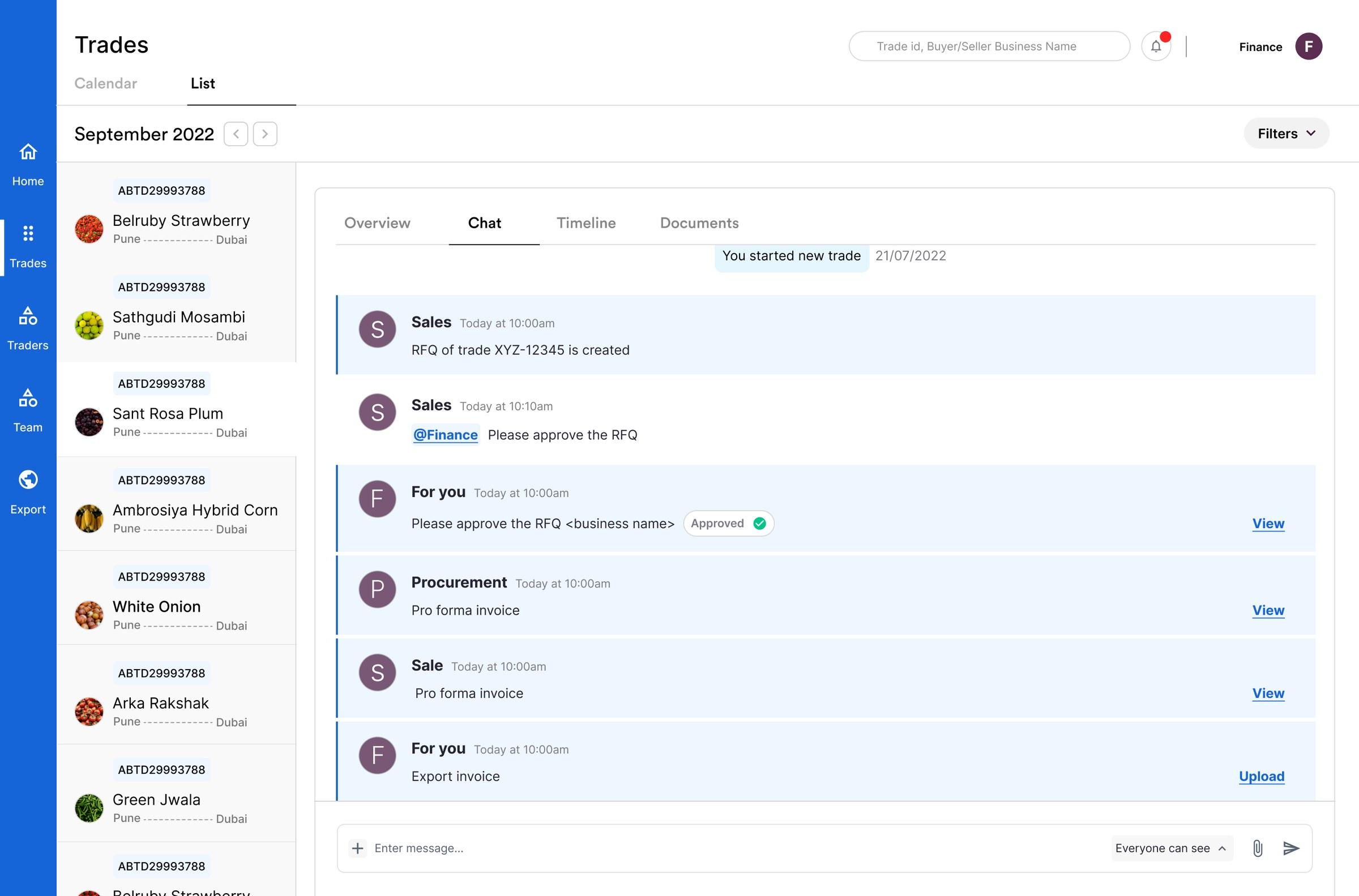
- 01Chat sits inside the trade, beside its timeline and documents.
- 02Every trade has its own conversation.
- 03Requests addressed to you are marked “For you”.
- 04Teams can be mentioned directly.
- 05Documents open straight from the message.

- 01Choose who can see a message before sending it.
Trade conversations stay with the trade, instead of being scattered across email and chat apps.
Timeline
A unified task timeline, so everyone follows a consistent trade flow.
Timeline
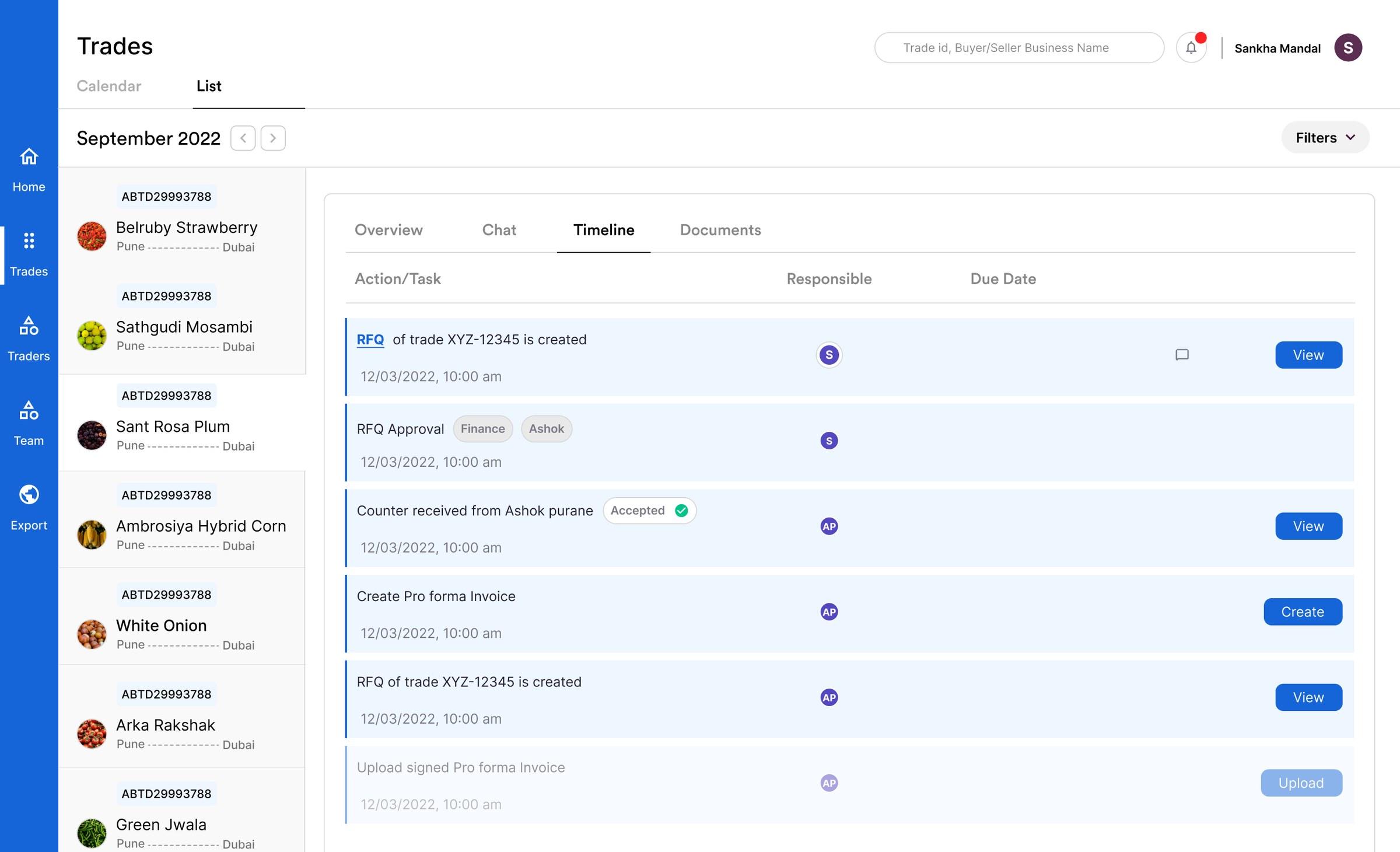
- 01Approvals are recorded on the task.
- 02Upcoming tasks are visible, but muted.
- 03Every task has an owner and a due date.
- 04The next action sits on the task.

- 01Owner, due date and action on one line.
All stakeholders know what's next.
What changed
OMS helped scale operations.
| Measure | Before | After |
|---|---|---|
| Trades executed | 450+ | 1000+ |
| Trade value | $600M | $1700M |
| Countries | 12 | 18 |
| Commodities | 130 | 160 |
What it took
- 8 weeks
- to develop the first MVP
- 40
- hours of feedback sessions
- 20+
- one-on-one sessions with archetype users
- 2
- product design variations
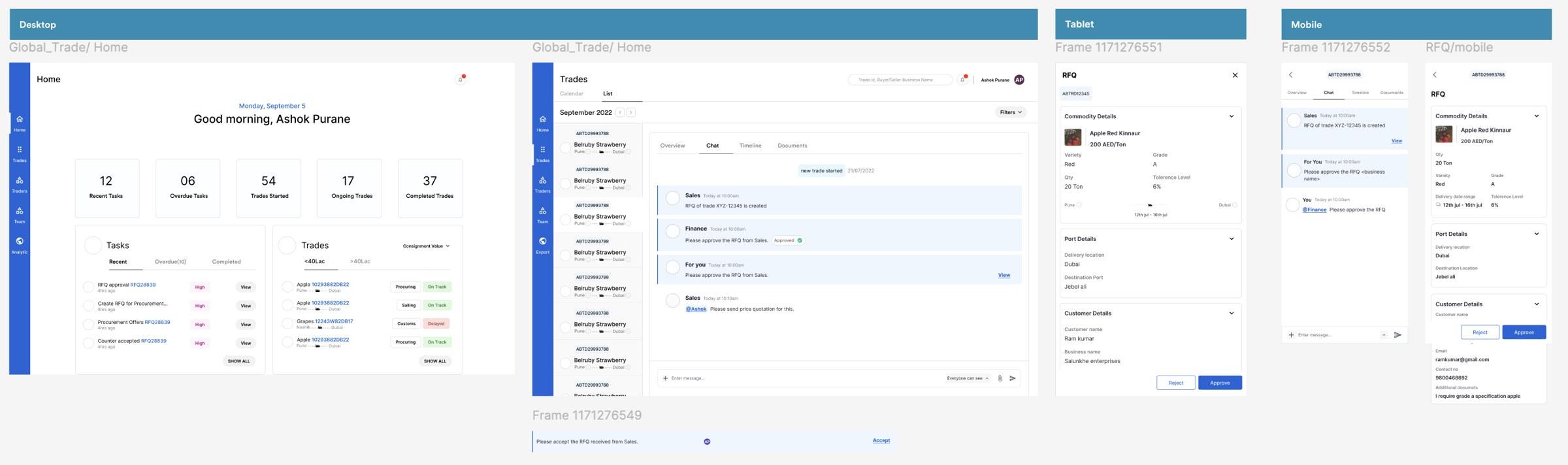
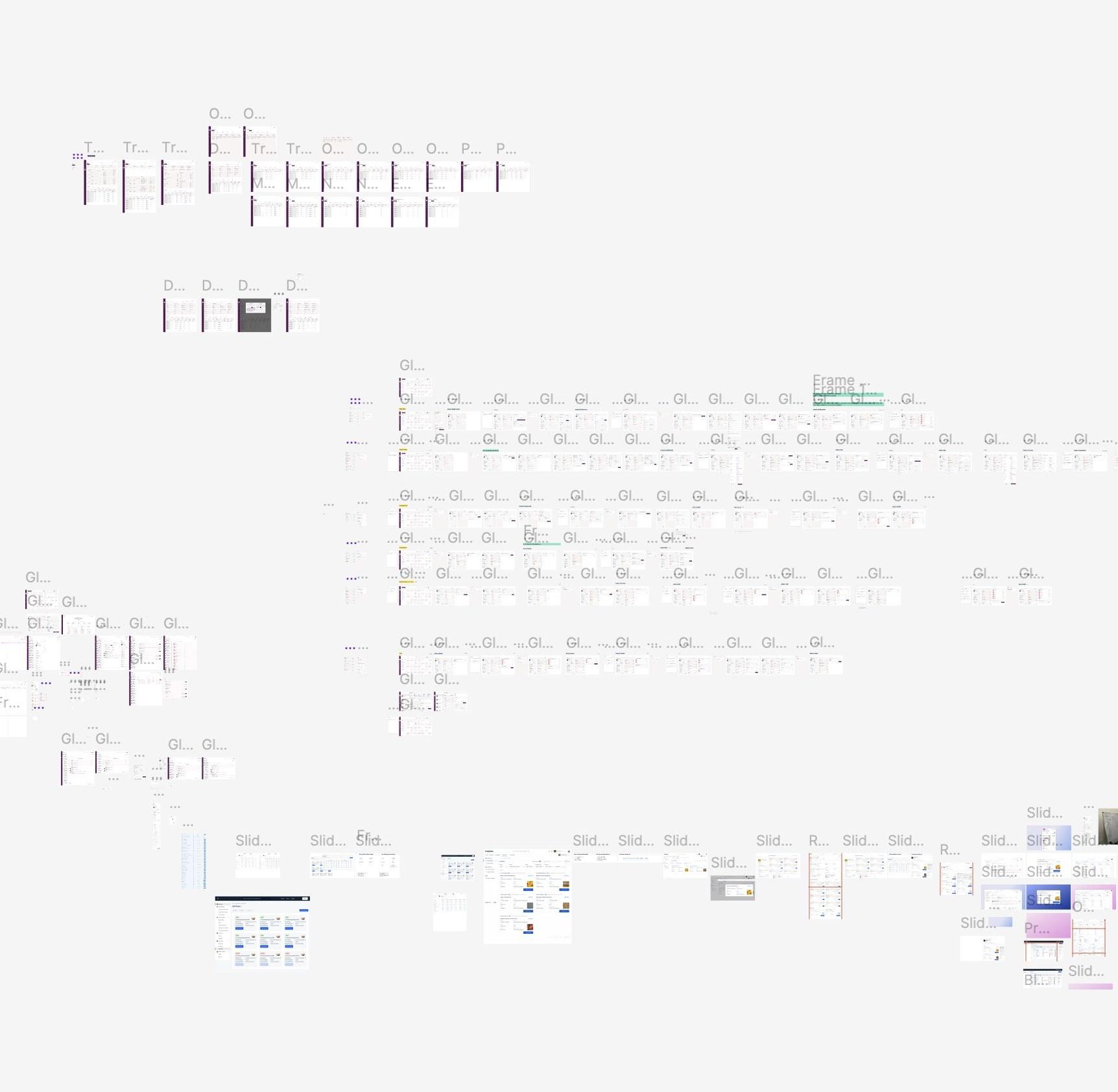
Variation one
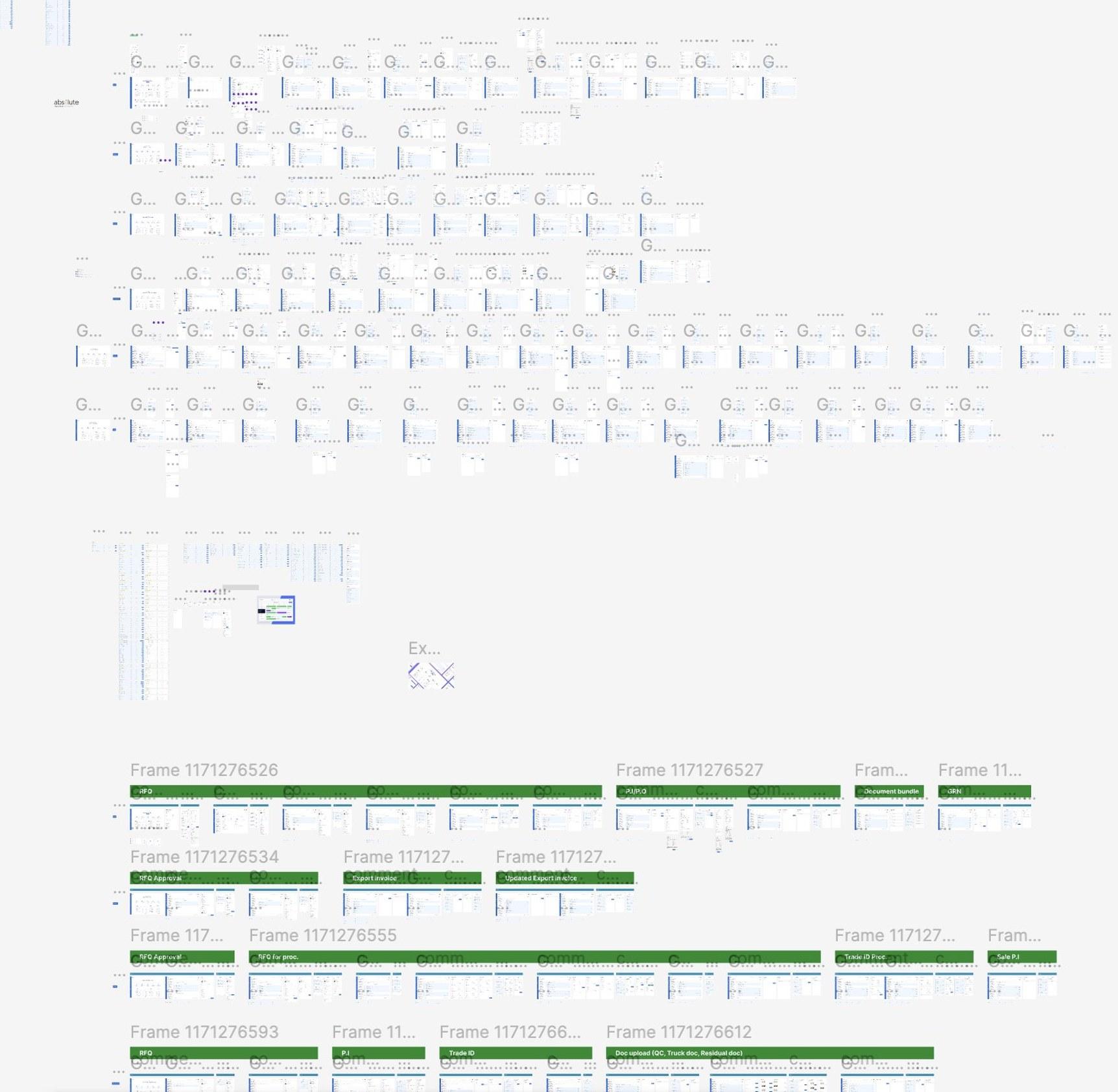
Variation two
- Key challengesGetting everyone aligned on trade processes.
- Designing mobile-friendly solutions for field users.
- Unifying diverse stakeholders on one platform.
Reflection
The hardest part wasn't adding more information, it was making the right information visible at the right moment.
Working on OMS made me think less about individual screens and more about how status, communication and tasks come together across a trade. That shift shaped how I approached the product.